Ultrahuman Ring PRO Review: New ring and new app!
The Ultrahuman Ring PRO goes the opposite way to the rest of the market: it got bigger. I measured all three Ultrahuman generations with a caliper, ran an 11-day battery test against Oura 5 and RingConn Gen 3, and spent three weeks in the rebuilt Emerald app.

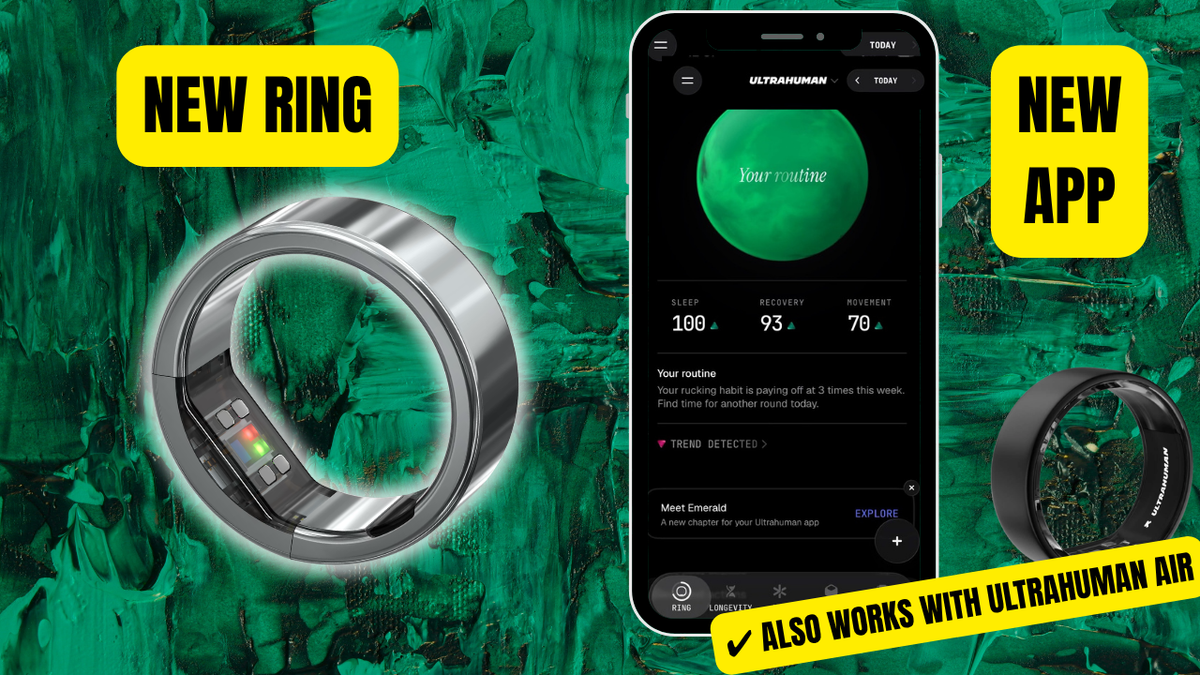
Rumours about the new ring from the Indian company have been circulating since at least November 2025. Ultrahuman badly needed to kill two birds with one PRO-sized stone. The first was working around the ban on selling the existing Ultrahuman Air on the US market (Oura sued, and won). The second was the damaged reputation and high return rate of the Air. The problem is supposedly solved (for the Air too), but the reputation damage on Reddit has stuck around.
 LORDoftheSMARTRINGS
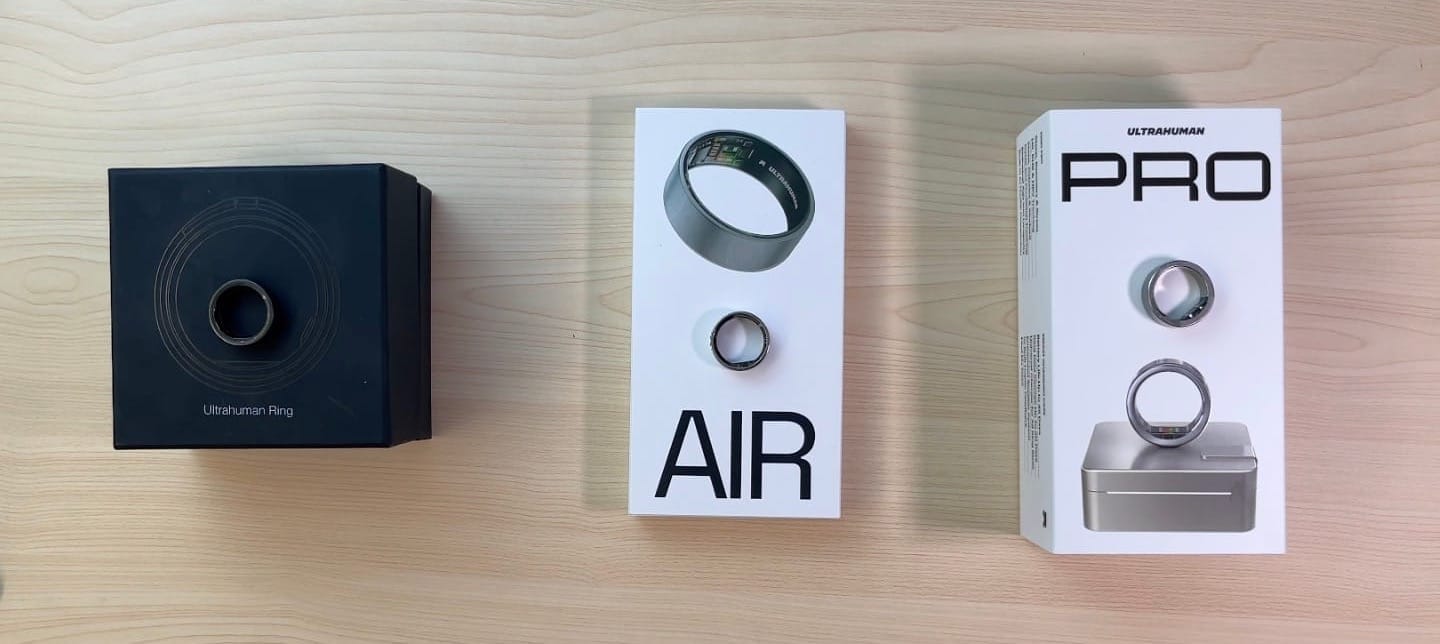
First impressions
Let's be honest about this. RingConn Gen 3 arrived in May 2026, then Oura 5 in June. Both of those rings made exceptional progress in miniaturisation – in thickness and in width. The Ultrahuman PRO landed just a few days after the Oura 5.
So my reaction was pretty clear:
Yikes, this Ultrahuman PRO is huge :/
And since I had been praising the competition for exactly that miniaturisation, my feelings could be filed under one word: disappointment.
Later I started thinking about it, and it occurred to me:
- What if a bigger ring turns out to be good for the ring’s longevity? (Among wearables, a smart ring has the lifespan of a mayfly. A decent smartwatch will happily run for 5 years, while a smart ring’s battery says au revoir somewhere around its second birthday.)
- What if a bigger body means more accurate optical sensors → sharper heart rate readings and everything derived from them…?
We will be looking for the answer to that one for a while yet.
In this article we will look not only at the Ultrahuman PRO and its rather interesting charging case, but also at the software – the Ultrahuman app. And if you think you already know the Ultrahuman app, well… you might not.
I had a unique opportunity to evaluate the revolution inside the app, which has been completely torn down and rebuilt. Nothing of the old app survived. Ultrahuman gave me access to the 4.0.0 beta, which I have now been testing for over three weeks.
But first things first: hardware, then software. Let’s go 💥
💍 That is one chunky ring!
Dozens of smart rings have passed through my hands – and my fingers. I do not think I have ever been this disappointed by a ring's evolution in size. The trend usually runs the other way, which is good news for anyone who wants a genuinely discreet wearable.
Dimensions
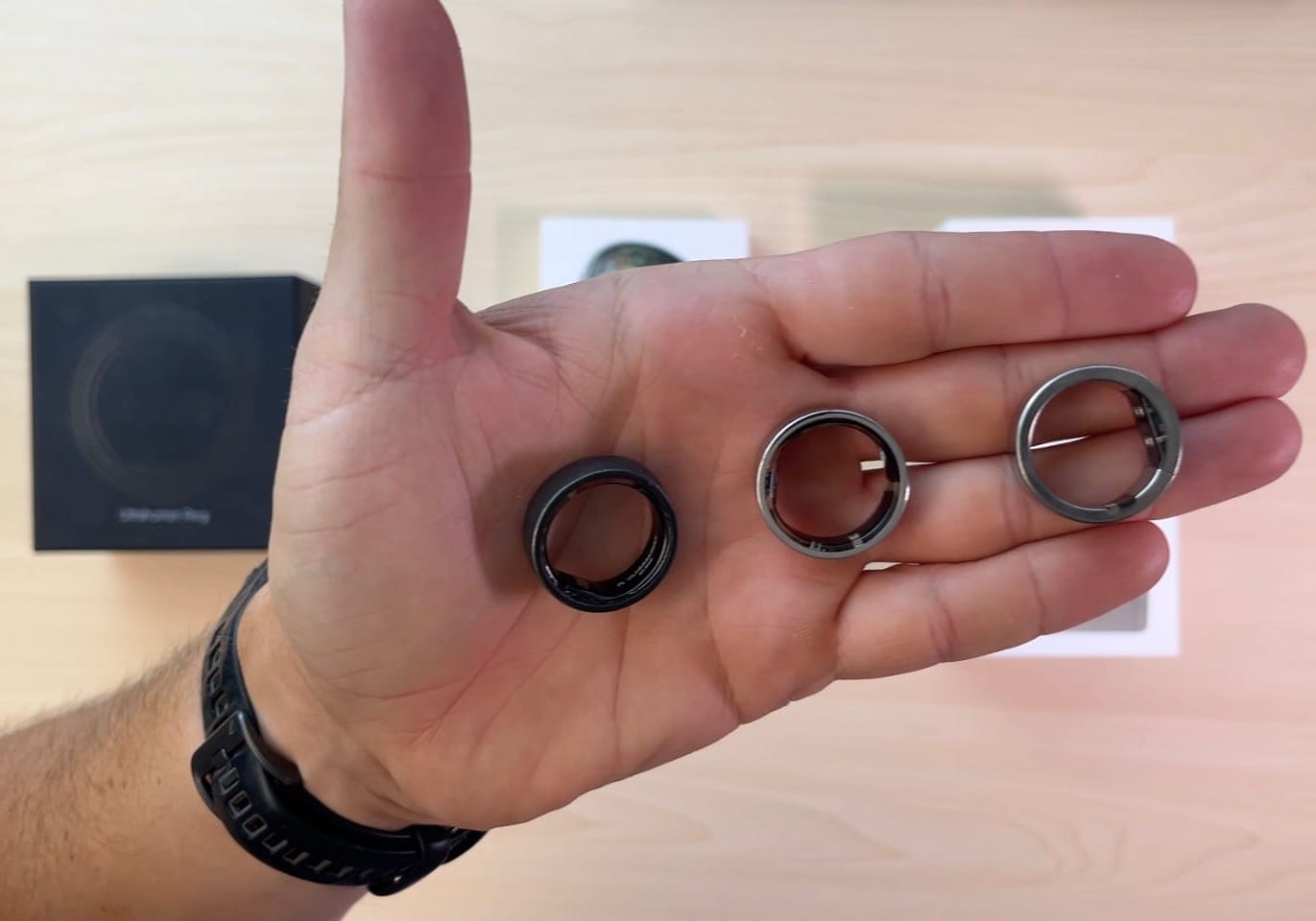
I do not rely on official spec sheets. They can be misleading, so I took a caliper and a scale to all three of my own rings – R1, Air and PRO – all in size 9.
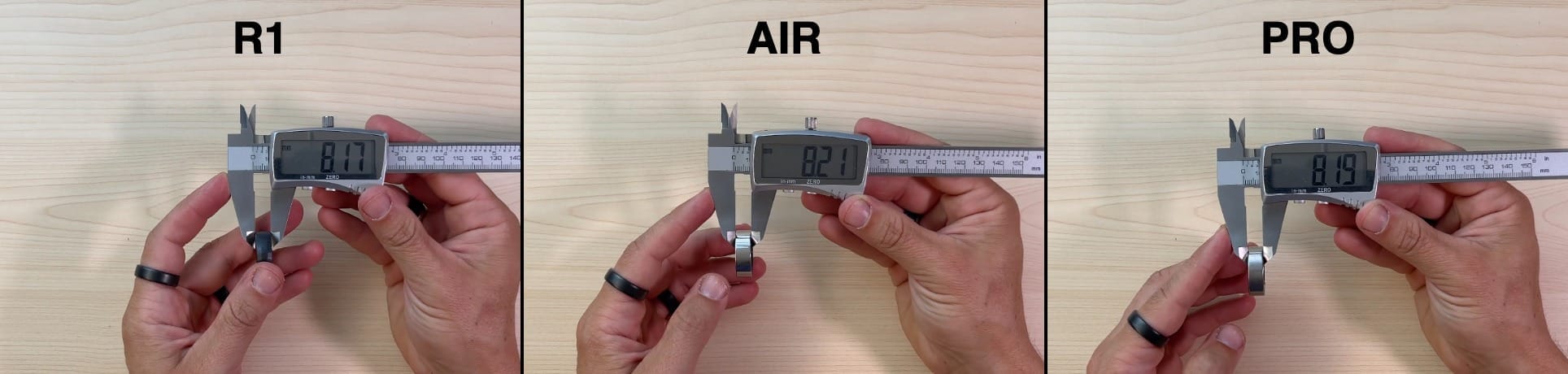
More interesting is the thickness of the ring. It is not the same all the way around, so I will start with the thinnest point:
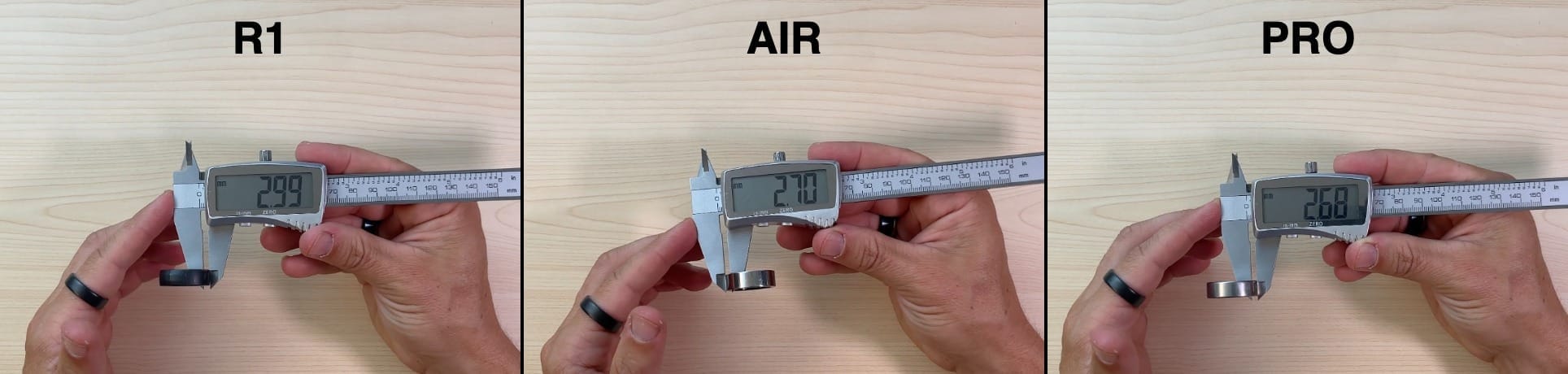
And at the thickest point – at the sensor bump – the picture looks like this:
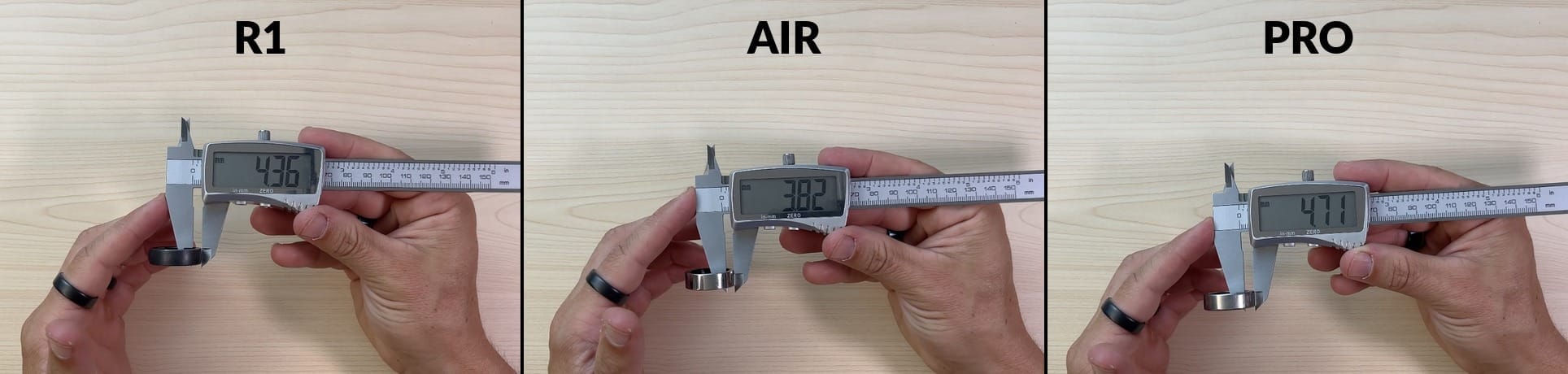
Inner diameter:
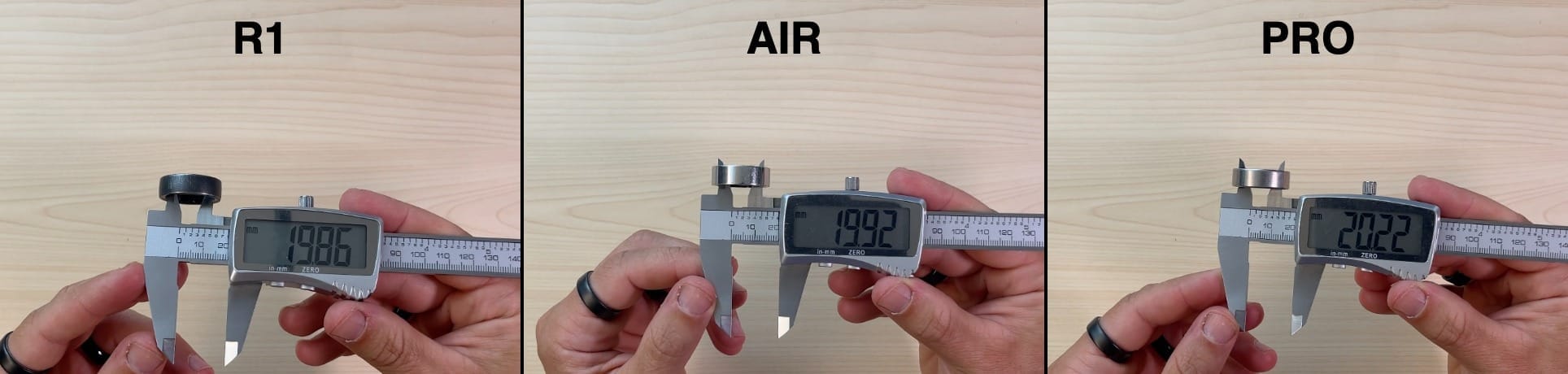
Outer diameter (i.e. including the wall thickness):
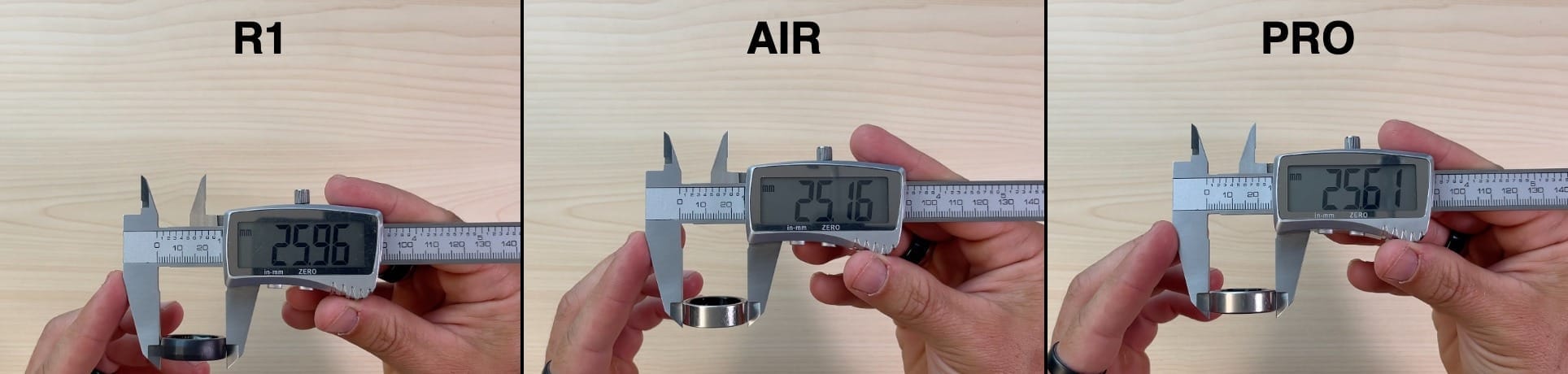
In other words: the width and the internal size (ring size) are practically the same across all three generations. The real difference is in the wall thickness and at the sensor bump – and that is exactly where the PRO’s extra bulk actually shows up.
Weight
The Ring PRO weighs 3.3 to 4.8 grams depending on size; the Air ranged from 2.4 to 3.6 grams.
On my own units (size 9) it came out like this:
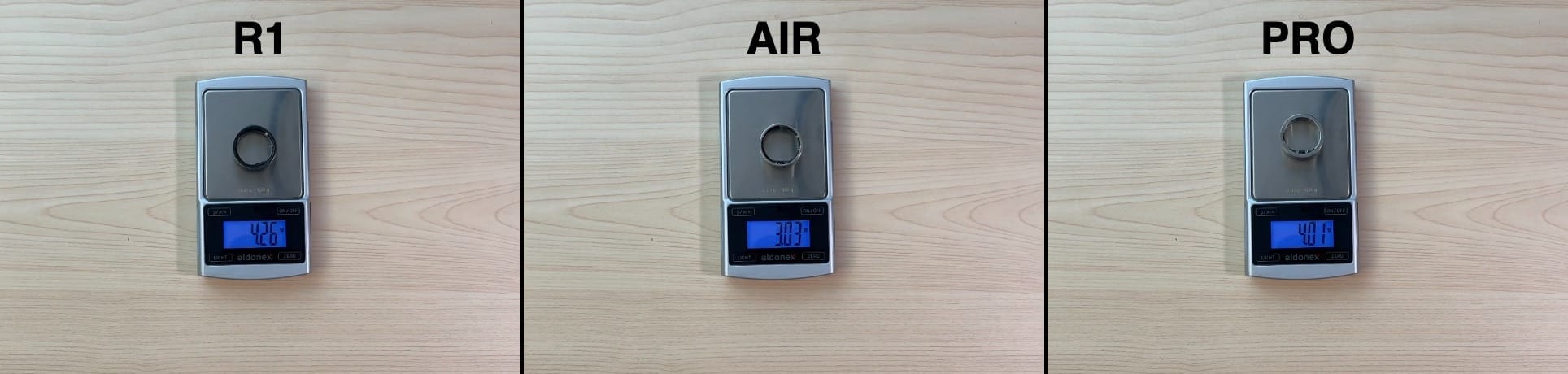
So the PRO really is heavier than the Air, but the gap – under a gram – is much smaller than the official ranges would suggest. And weight is not the decisive factor here anyway.
Battery life
Battery life varies with how you use the ring (frequent workout tracking squeezes it harder) and with your settings – Ultrahuman offers three modes: Turbo, Chill and Critical.
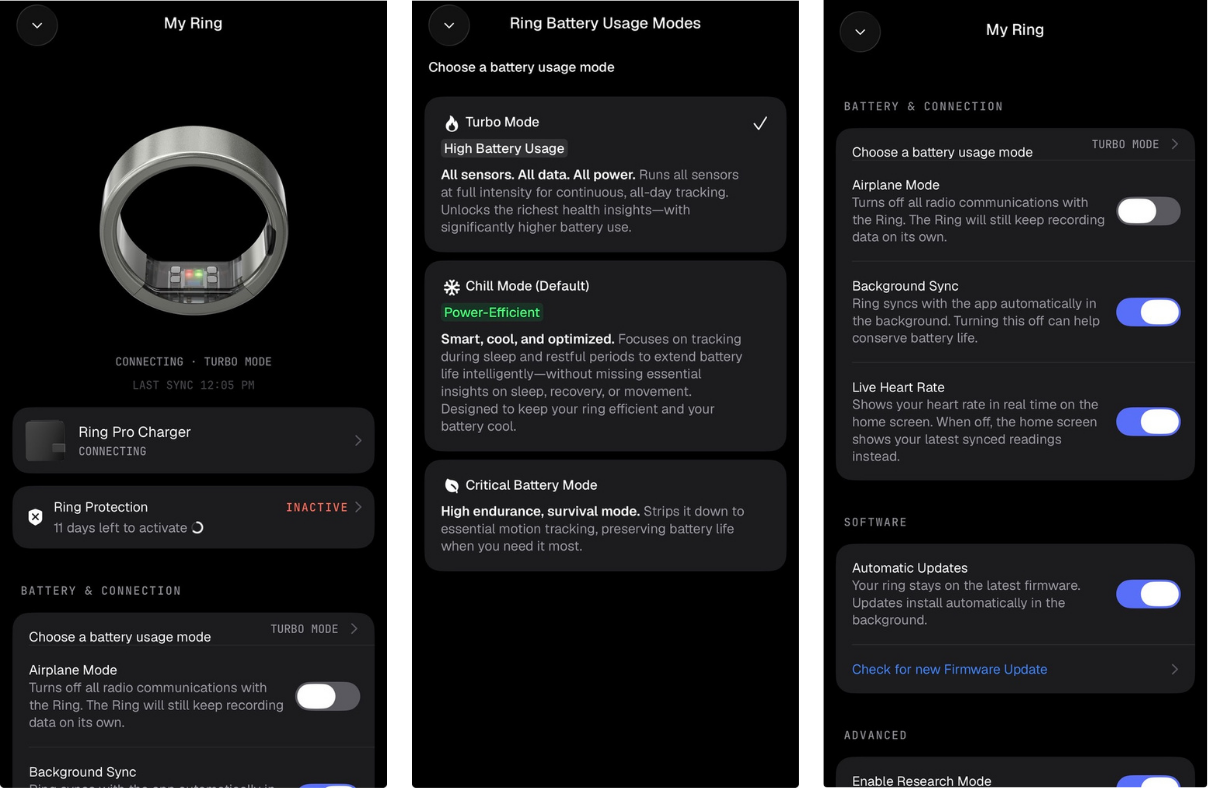
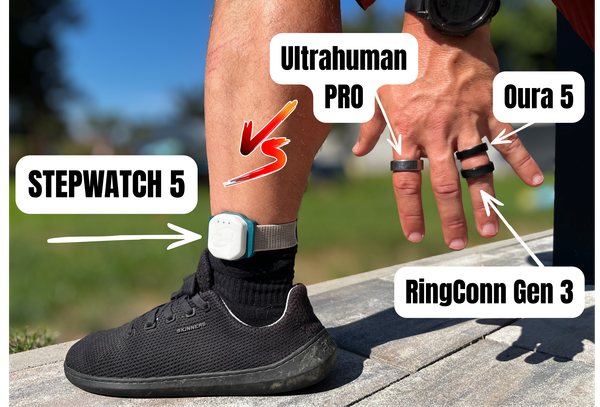
I tested the Ultrahuman PRO’s battery head to head with the Oura 5 and the RingConn Gen 3. All three rings are the same age, so the comparison is fair. The Ultrahuman PRO ran in Turbo mode.
So: 11 days in the least frugal mode. A similar result to the RingConn Gen 3. The Oura 5 finished two days behind.
🔌 Charging – UltraSnap
Ultrahuman has switched charging camps: wireless is out, magnetic is in. The magnetic pins are recessed and I have no problem with that. It also solved the occasional overheating of the ring on the wireless charger. So here too I see a promise of optimisation aimed at a longer ring's life.
The luxury case
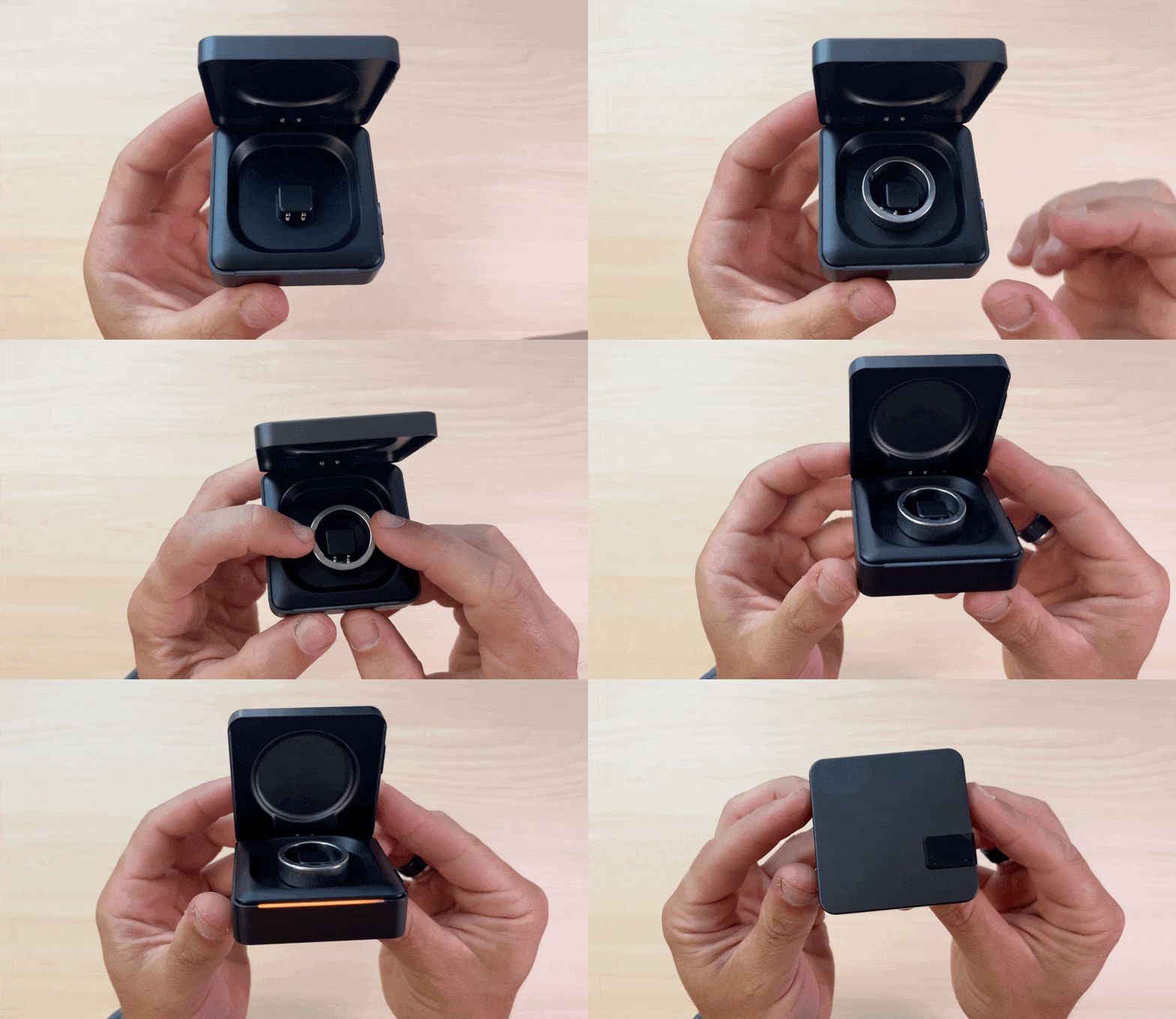
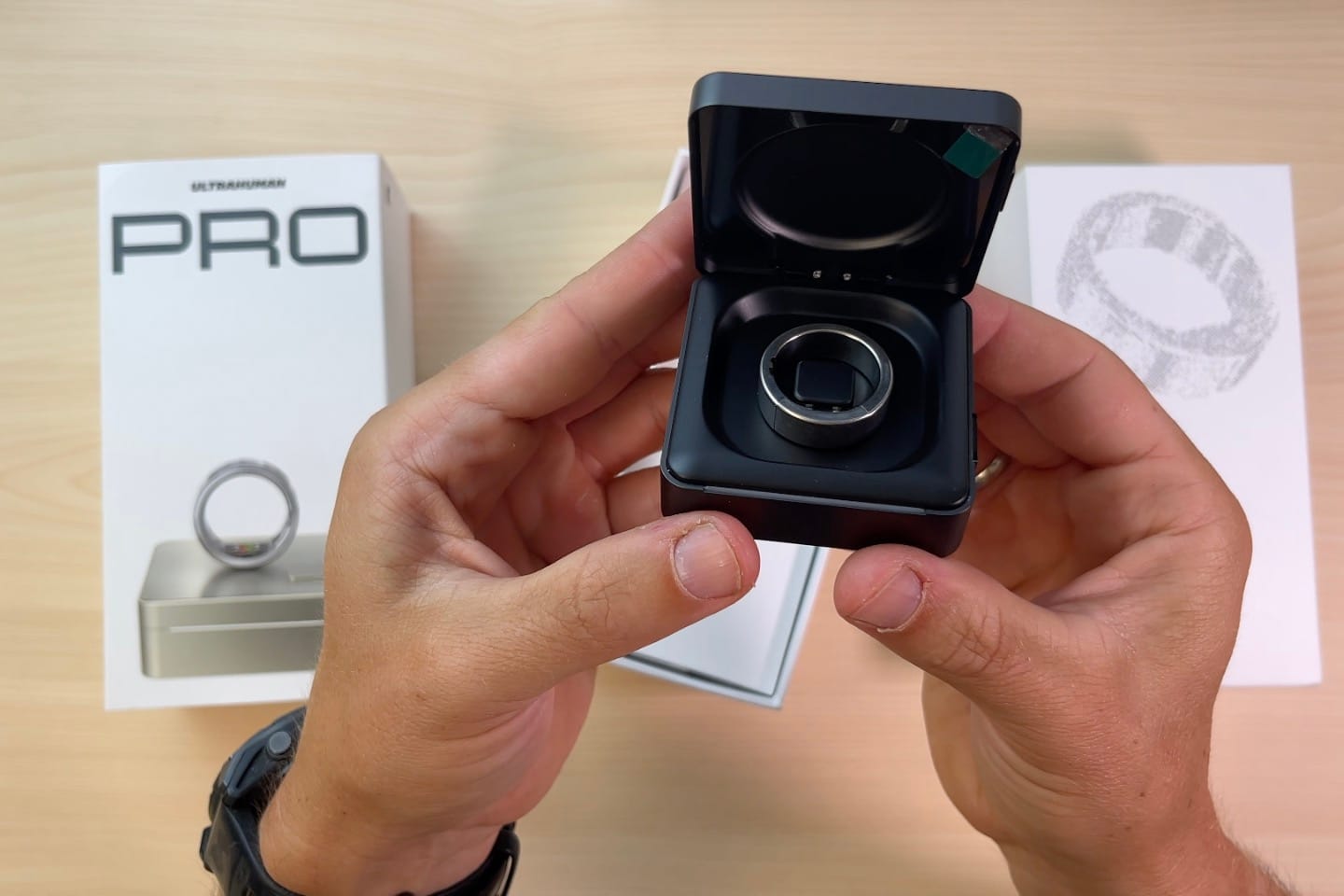
The Ultrahuman PRO now ships with a charging case as standard (the Air only ever got a stand charger). A charging case with its own battery is becoming standard kit. RingConn did it first, but Samsung offers one too, and recently so does Oura. The obvious advantage is that you do not have to go hunting for a power socket straight away – you just drop the ring into the case.
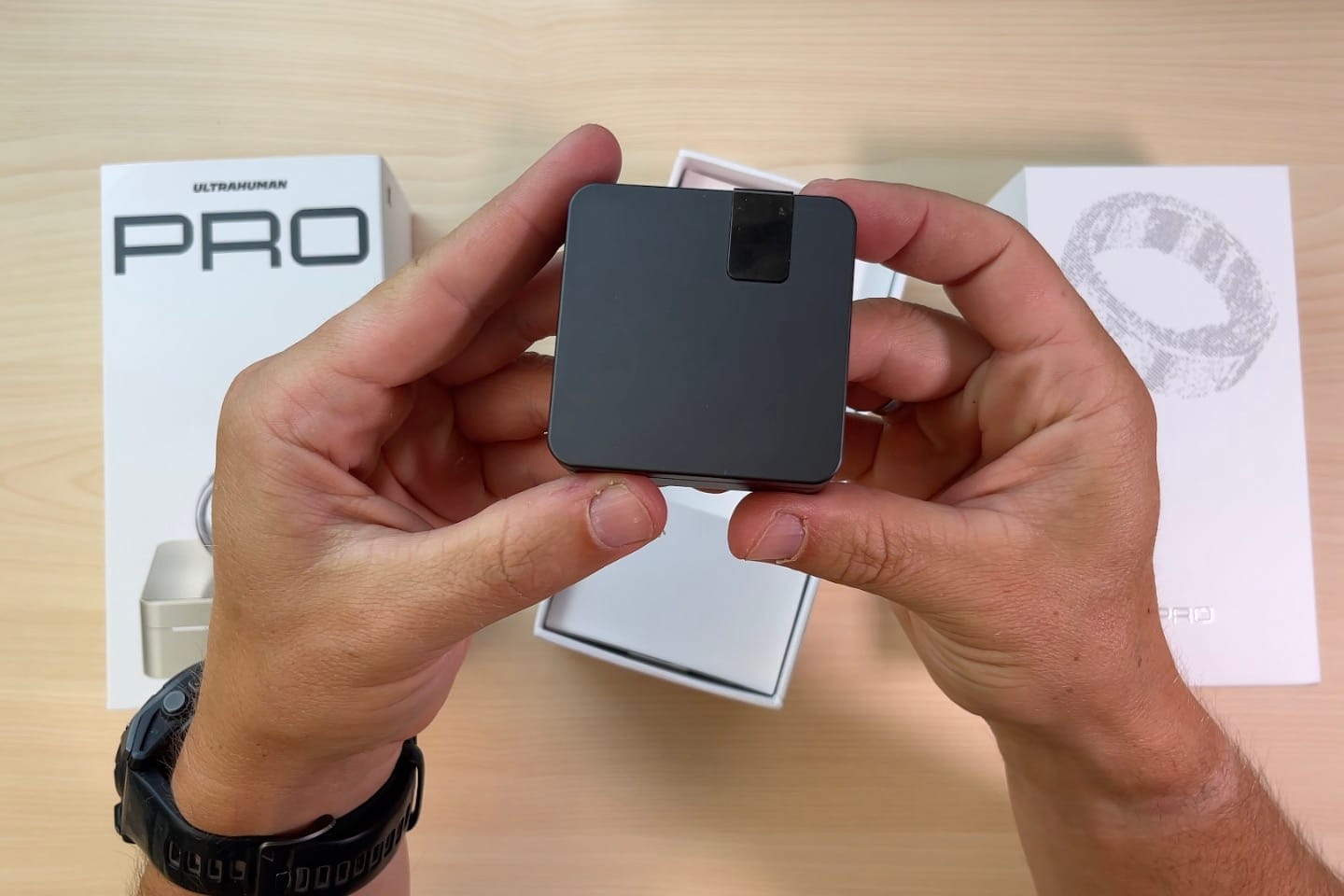
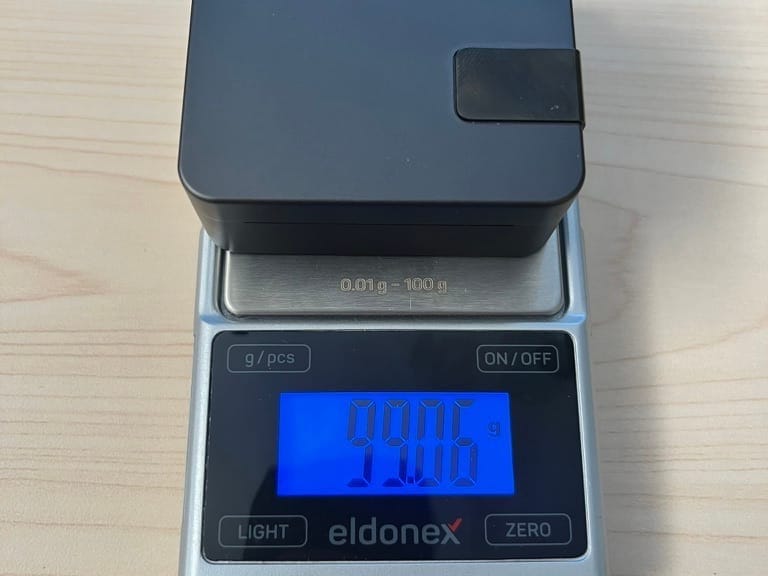
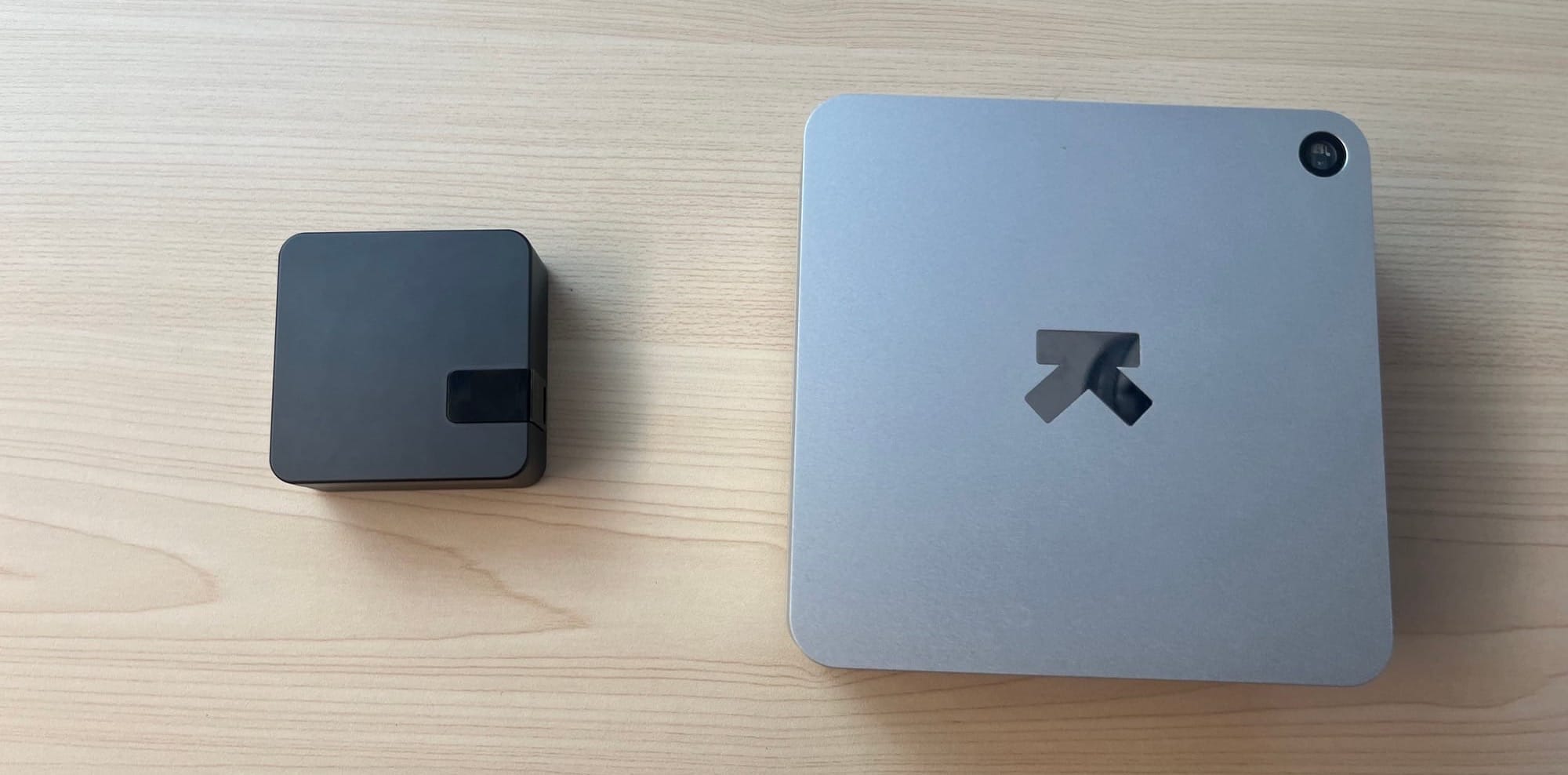
Comparing all the cases I own, the Ultrahuman one is without doubt the most interesting, the sturdiest and the most luxurious. It is also the heaviest. It weighs 99 grams, so if you are the type who counts every gram of base weight on a hike, you will want to save those grams somewhere else.

Cases, cases everywhere…
The case has a speaker, an LED, a button and a pinhole for a hard reset.
Design-wise it slots neatly into the Ultrahuman ecosystem – the build quality and styling remind me of the Ultrahuman Home.
🧬 The Ultrahuman biohacking app
I have been following the evolution of the Ultrahuman app almost from the very beginning. And I watched continuous development take it to a point where some users – first-timers especially – started to find it cluttered. At the same time, several individual features had grown into thematically self-contained units.
Where am I going with this: Ultrahuman decided to rebuild the app from the ground up, and they are calling the new version Emerald.
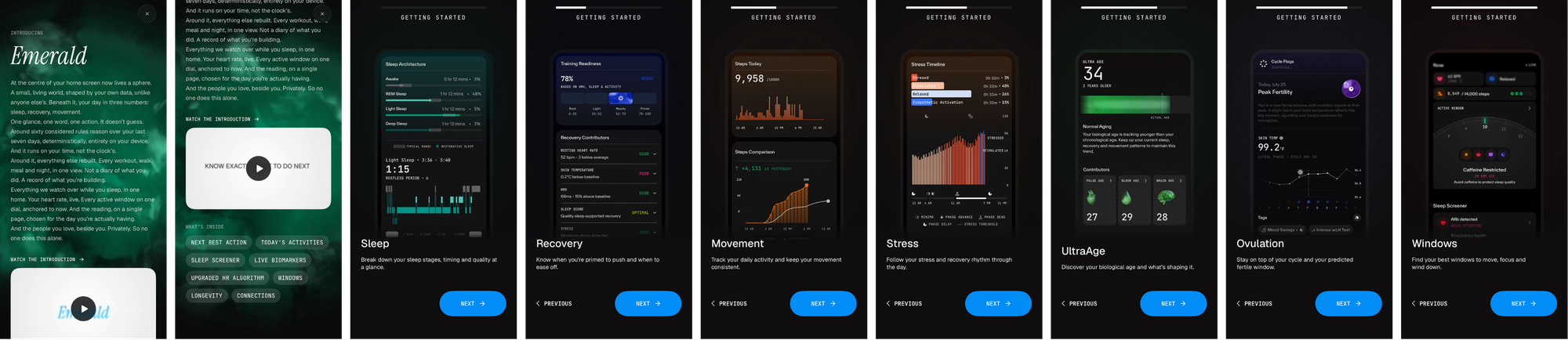
Before vs now
The difference between the versions is obvious at first glance. Above all, Ultrahuman is trying to give the data back some clarity:
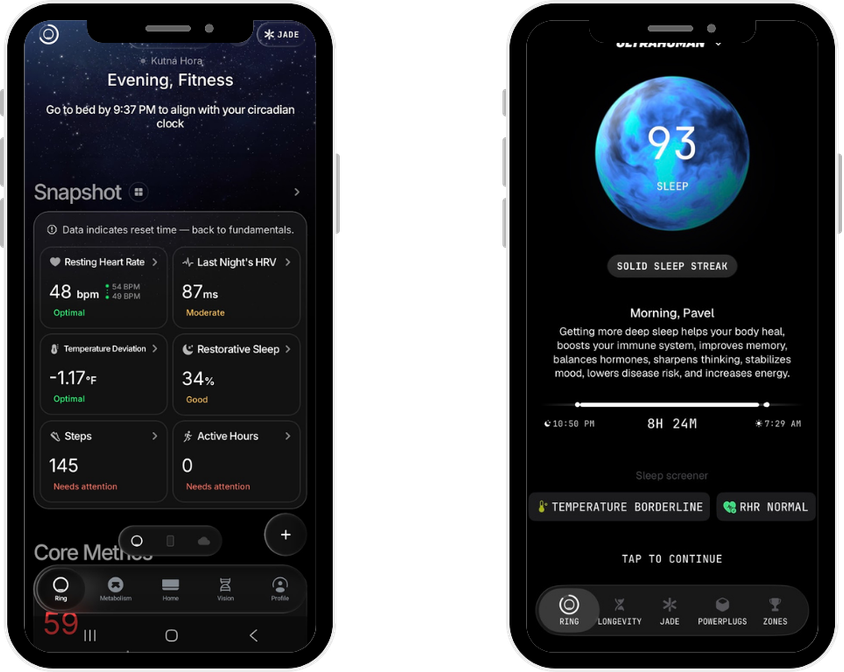
Completely new is the Products switcher in the header, which dynamically changes the panels and tabs at the bottom of the screen:
- Ultrahuman Ring – Ring, Longevity, Jade, PowerPlugs, Zones.
- Metabolism (CGM) – Metabolism, Jade.
- Ultrahuman Home (the hardware box that measures your environment – more in my Ultrahuman Home review) – Home.
- Blood Vision (blood tests) – Home, Jade.
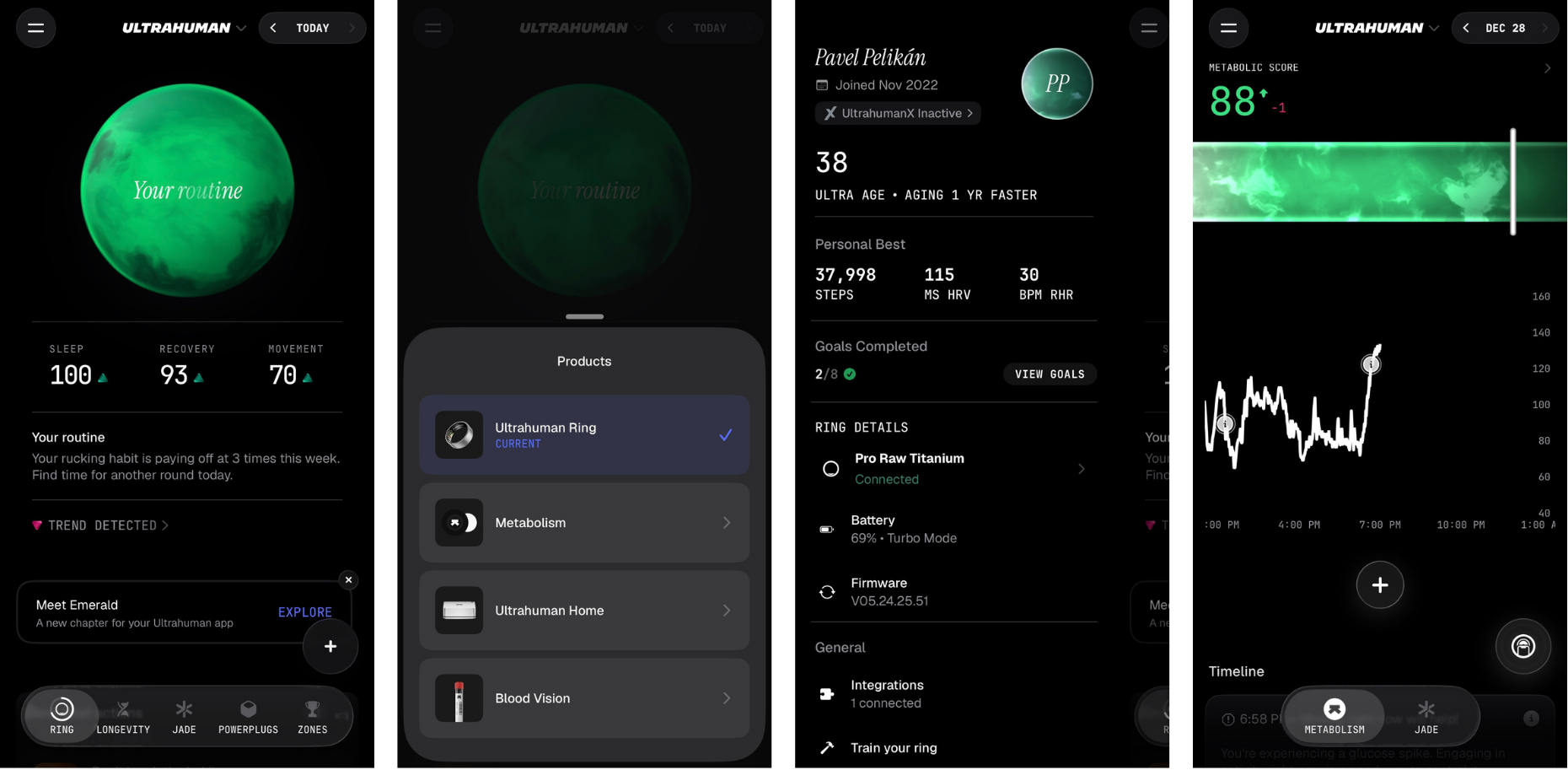
I have to admit this split surprised me a little. I had expected consolidation into one main universal tab holding the crossovers between products. That does happen to some extent, mainly through the Ring tab – so let us look at that one more closely.
💍 Ultrahuman Ring
If I had to pin an adjective on this tab, I would go with interactive, or dynamic. The centrepiece is a sort of globe; swiping sideways (which I discovered more or less by accident) switches between the main recommendation and your Sleep, Recovery and Movement scores.
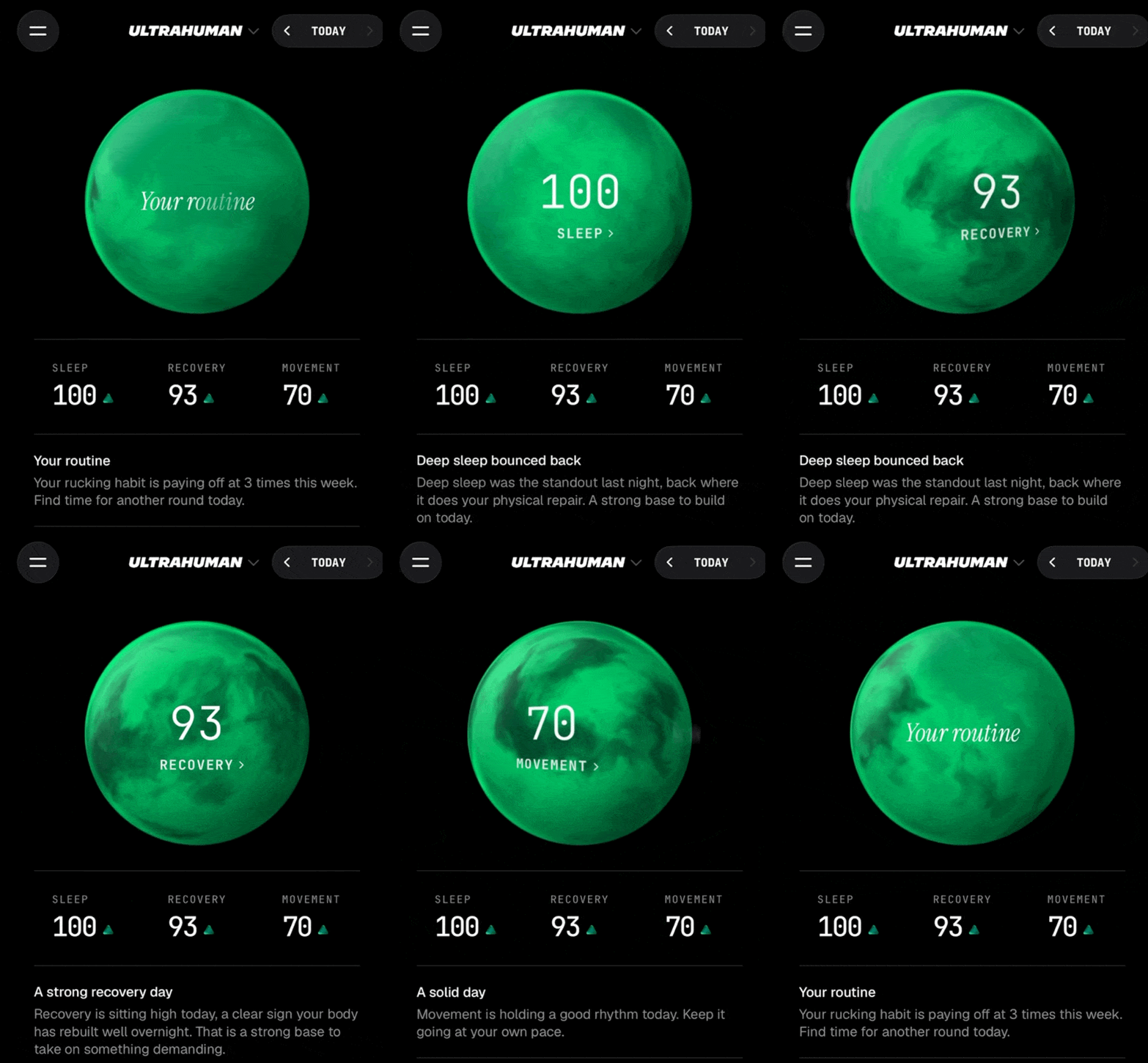
What I really like is that switching also dynamically changes the written interpretation of each score.
Let us scroll down ⬇️. After the written assessment come several dynamic blocks:
- Trend – if one is detected:
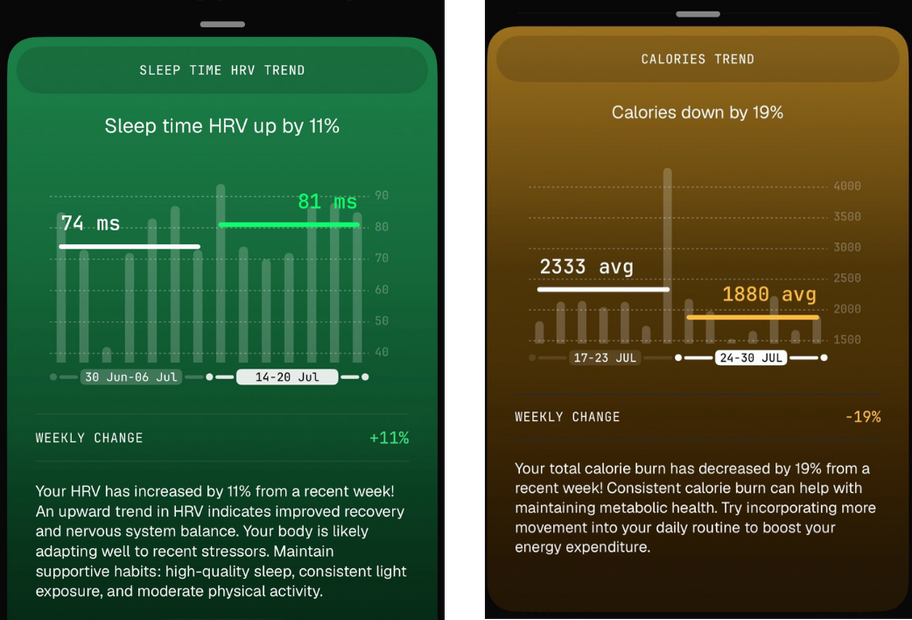
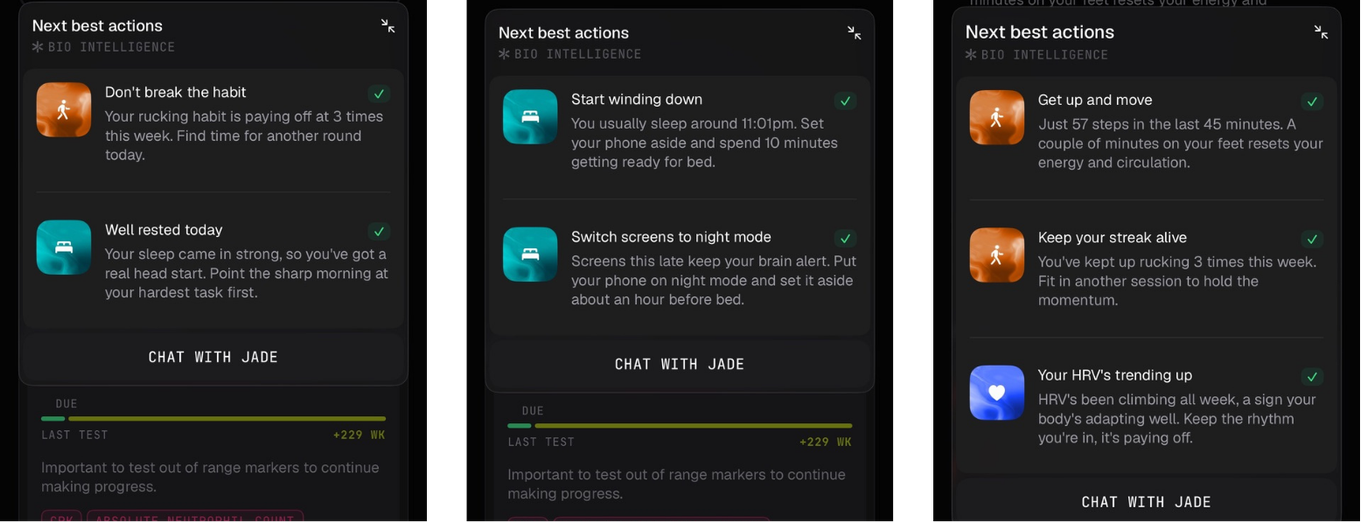
- Next best actions – one of the most important blocks according to its creators. This is where Ultrahuman turns into an advisor in real time. It will suggest whether to take a nap, go rucking (like you did yesterday) or start winding down for bed. It does this on the basis of what they call Bio Intelligence. I am no fan of checking an app repeatedly through the day, but I appreciate the effort to set itself apart from rival platforms, which only hand you a morning Readiness score and call it a day.
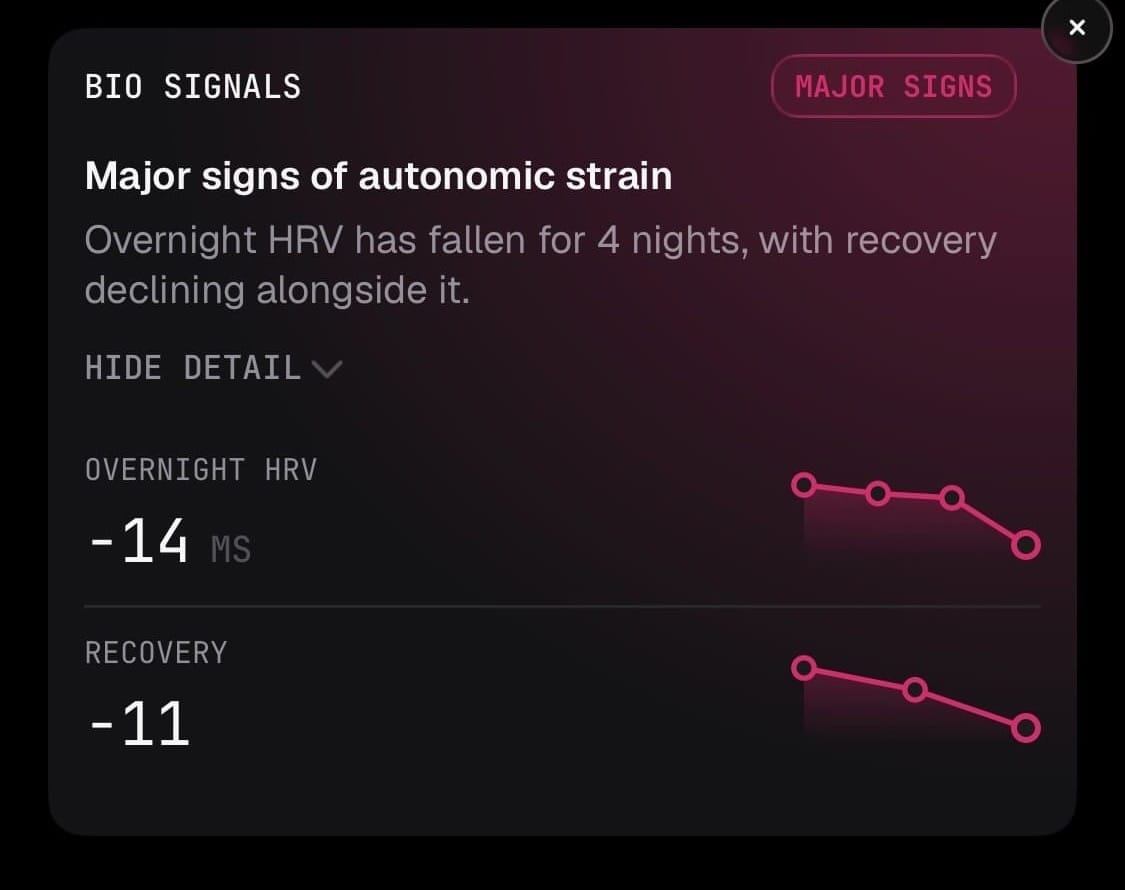
- Bio Signals – a notification similar to trends, but more of a warning that something negative is going on under the bonnet: a drop in HRV caused by heavy load, for instance. I find that more valuable as an insight than the narrow lens of one abnormal night.
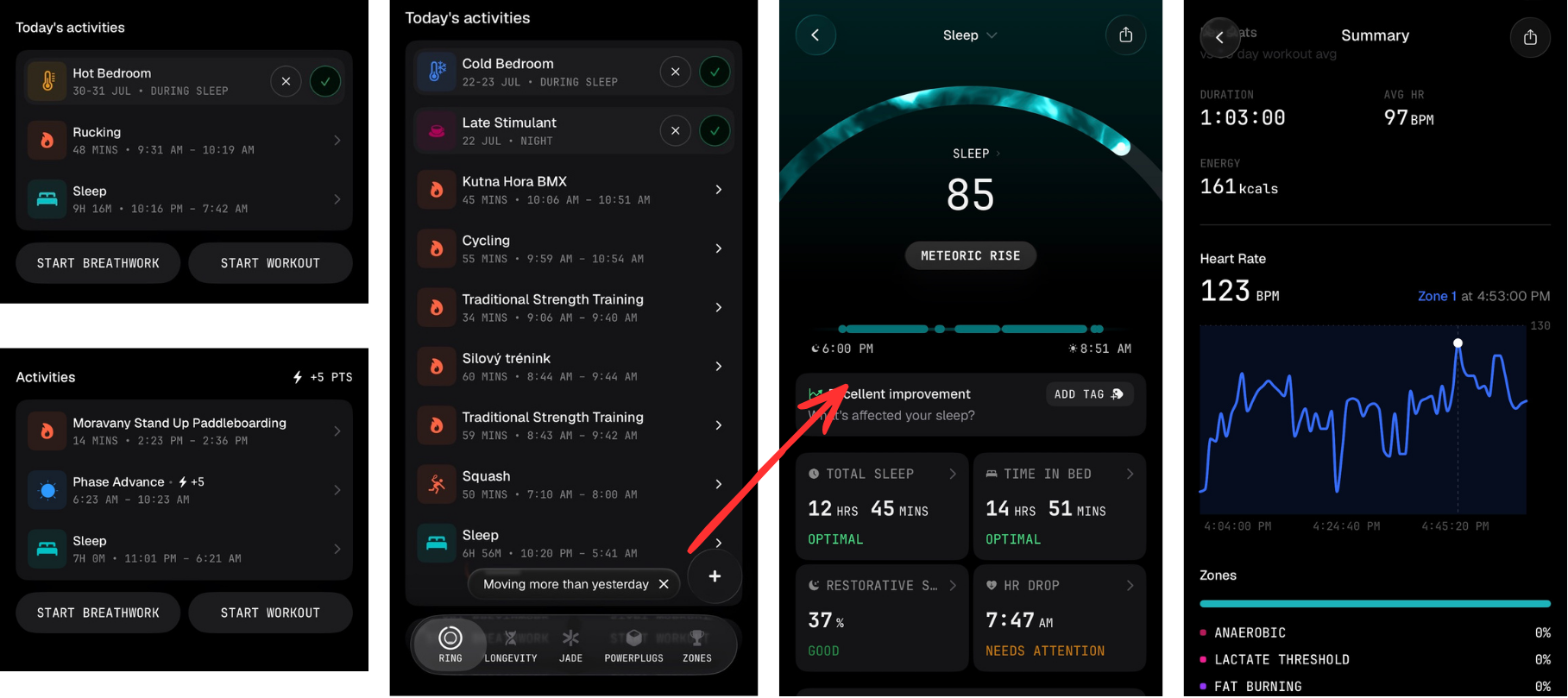
- A summary of daily activities and events with the option to click through to detail – sleep or a workout, for example:
Below the activities you will find something the community finds very interesting, so it gets its own subsection: WINDOWS 🪟!
Active windows
Ultrahuman decided to merge several popular, related PowerPlugs into a single feature: Caffeine, Circadian, Screentime and Vitamin D.
Active Windows therefore tells you what time it is — and recommends how to behave at that hour when it comes to caffeine, light exposure, screen time and getting outside to absorb vitamin D. If you have read Satchin Panda’s The Circadian Code, you already know the drill. If you have not, this feature is an excellent real-time cheat sheet.
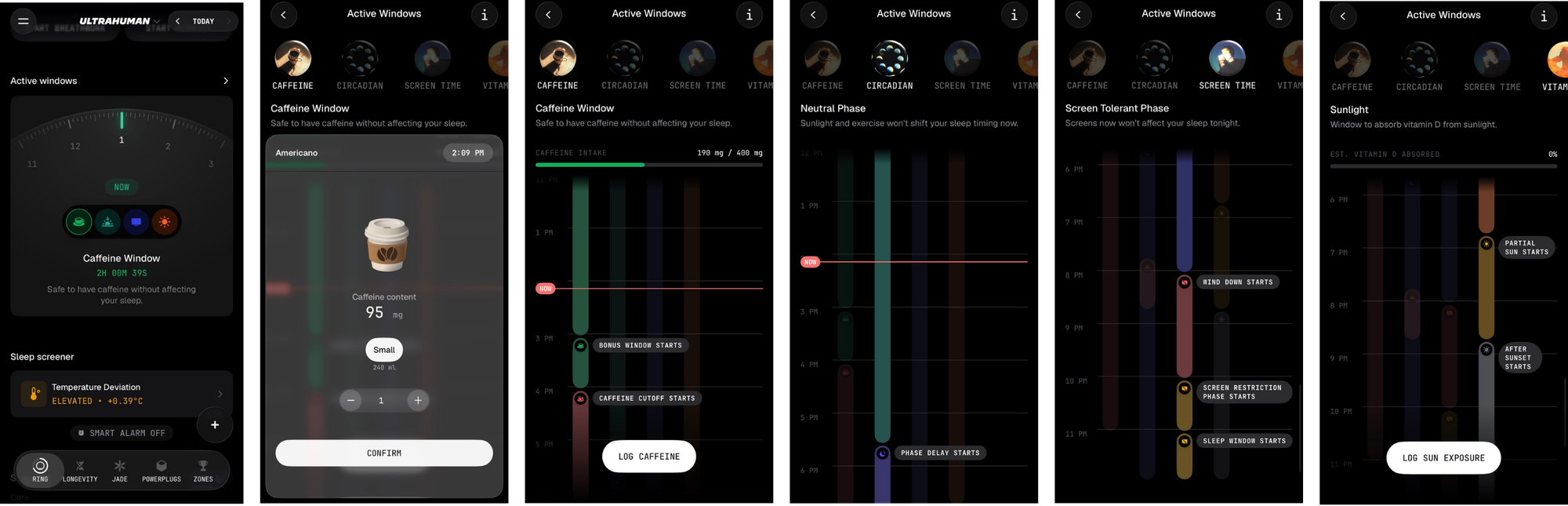
The app lets you log sun exposure and caffeine intake, or keep an eye on screen time. Sometimes I wonder whether all this bio-optimisation is not a bit much. But it is up to you which parts of the app you actually use.
Workout tracking, rebuilt
The app now detects on its own that you are moving beyond your usual activity and asks whether you are training. You either pick "Log as Stress" (if it was a one-off spike rather than a workout) or "Start Workout", and from that moment the app collects a more detailed HR curve, zones and other metrics.
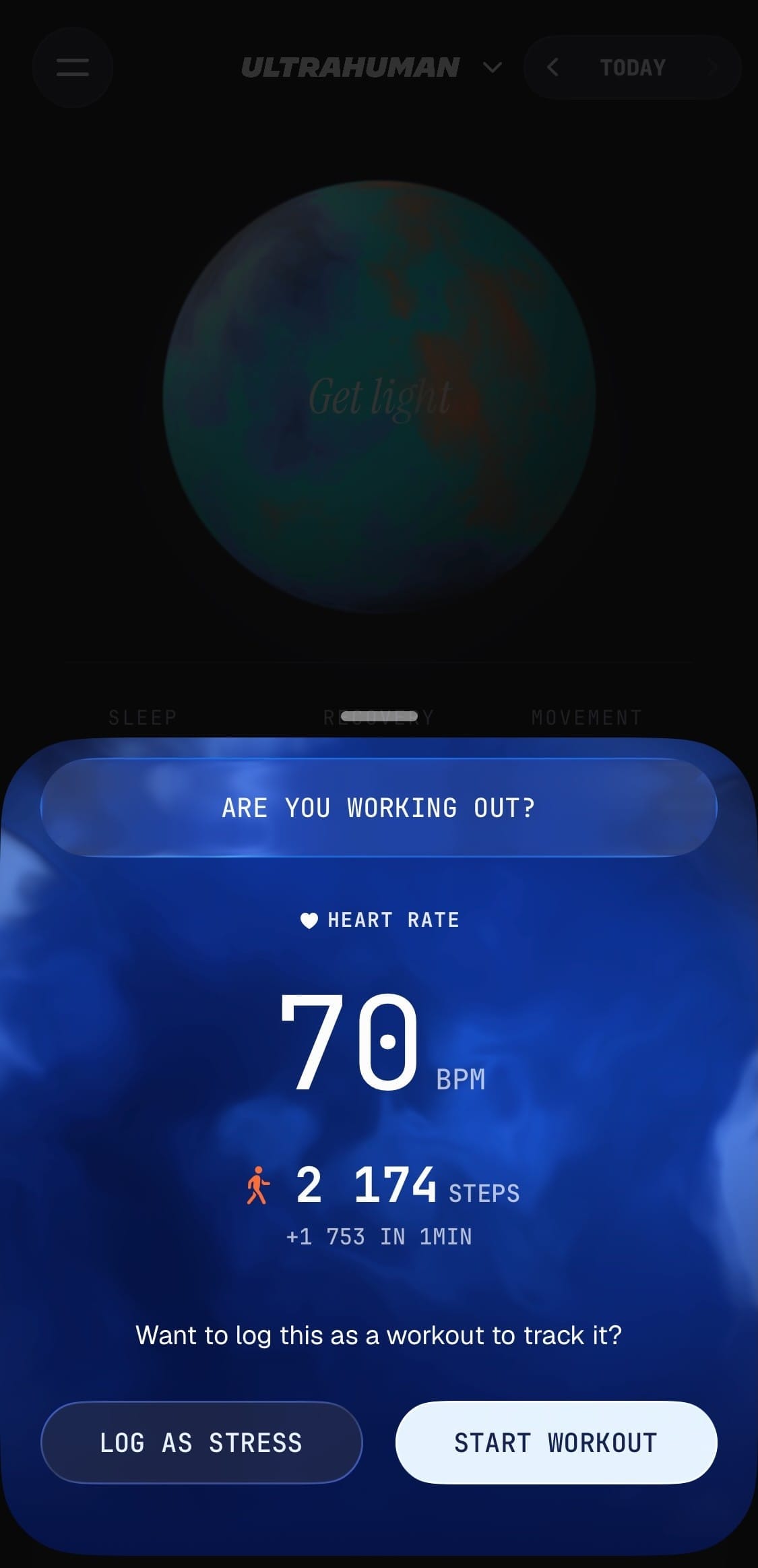
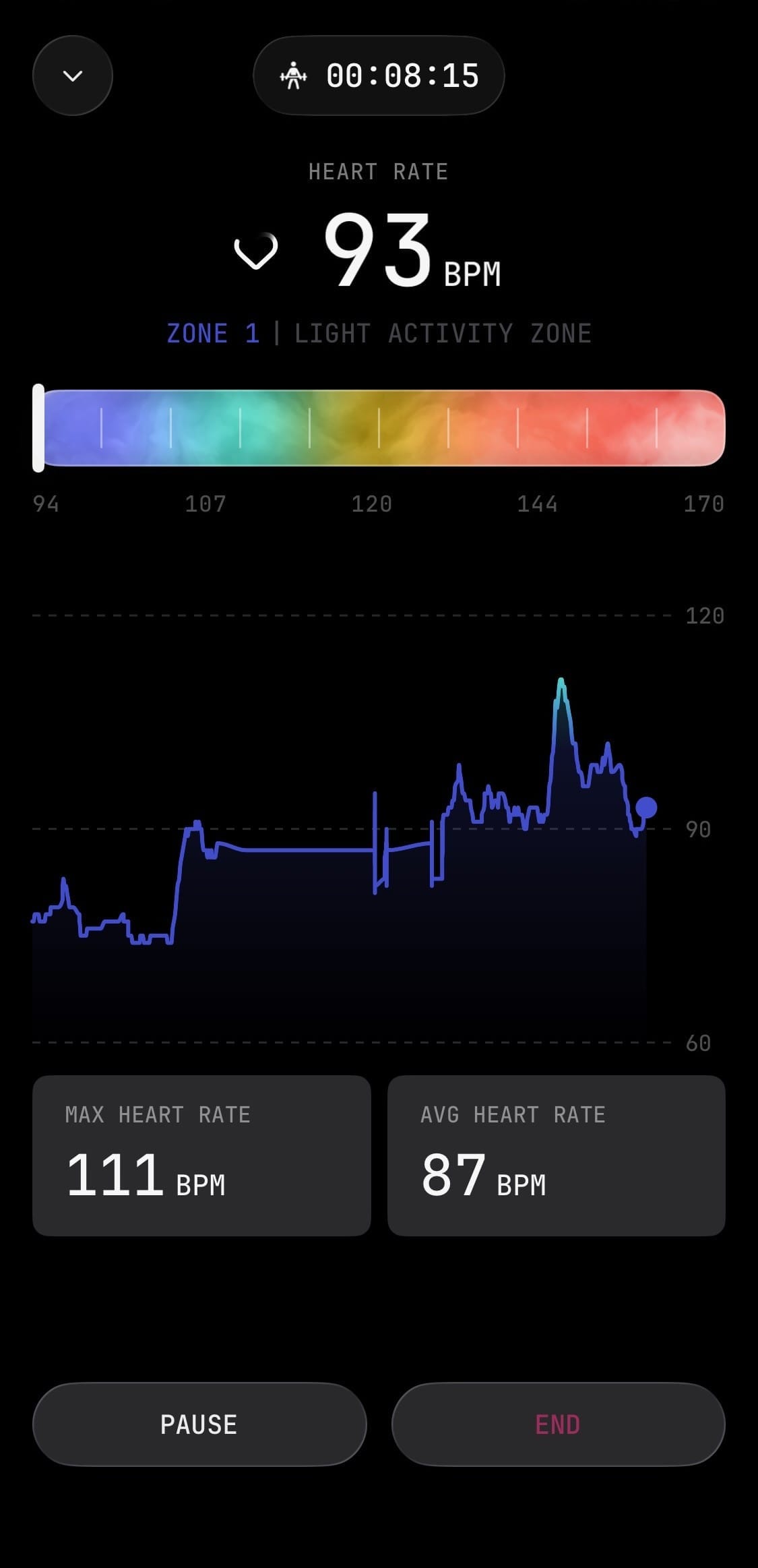
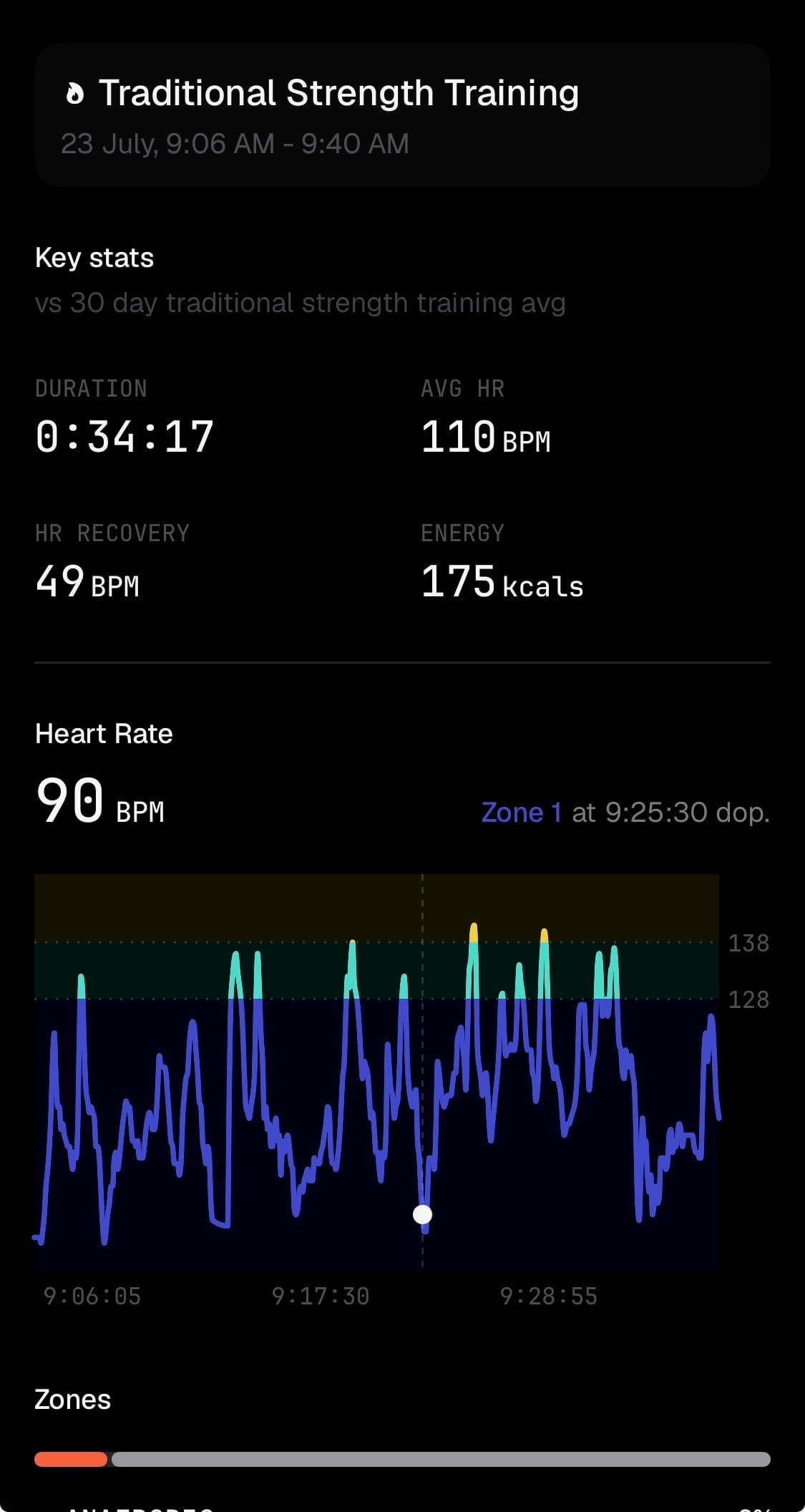
The full flow: the app asks ("Are you working out?") → live tracking with HR zones and a chart → a final summary compared against your 30-day average for the same workout type.
And if, like me, you reckon a smart ring is the wrong tool for strength training, Ultrahuman has an answer for you.
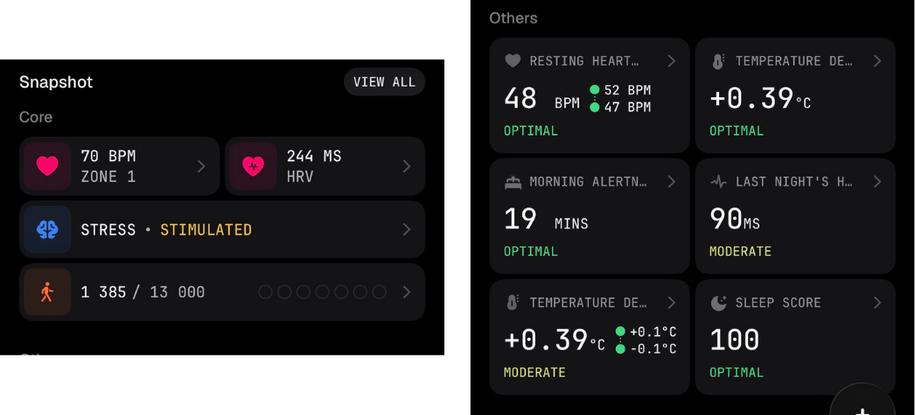
Last come the Sleep Screener and Snapshot. Personally I would welcome a more prominent placement for the key metrics (RHR, HRV, temperature) – up in the app header – because I consider them the core raw data.
Longevity
Longevity is a new tab that pulls together existing features (Ultra Age – which I dug into in the article below – and VO2Max) and adds context in the form of Longevity Insights.
LORDoftheSMARTRINGS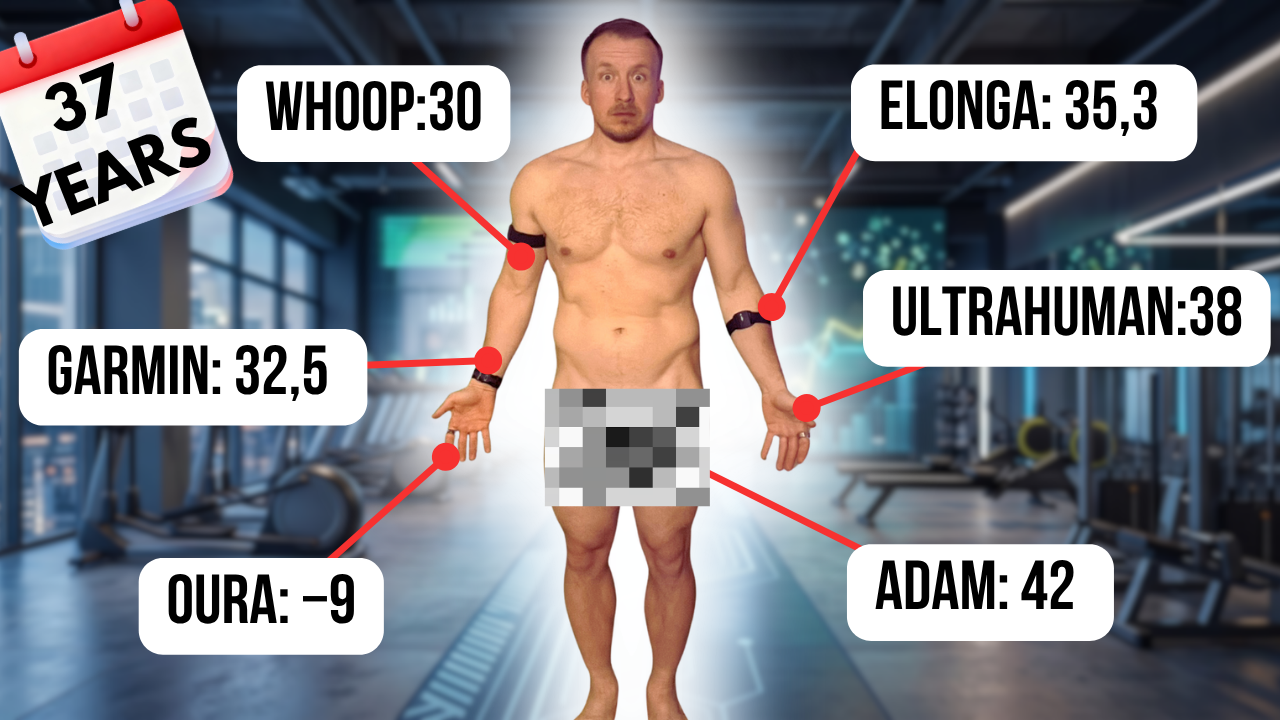
With its absolute number and its pace, Ultra Age is a little reminiscent of Whoop Age, but it uses different contributors: Pulse Age, Blood Age (for which you need to upload blood tests) and Brain Age. I went into all of that in more detail in the article above.
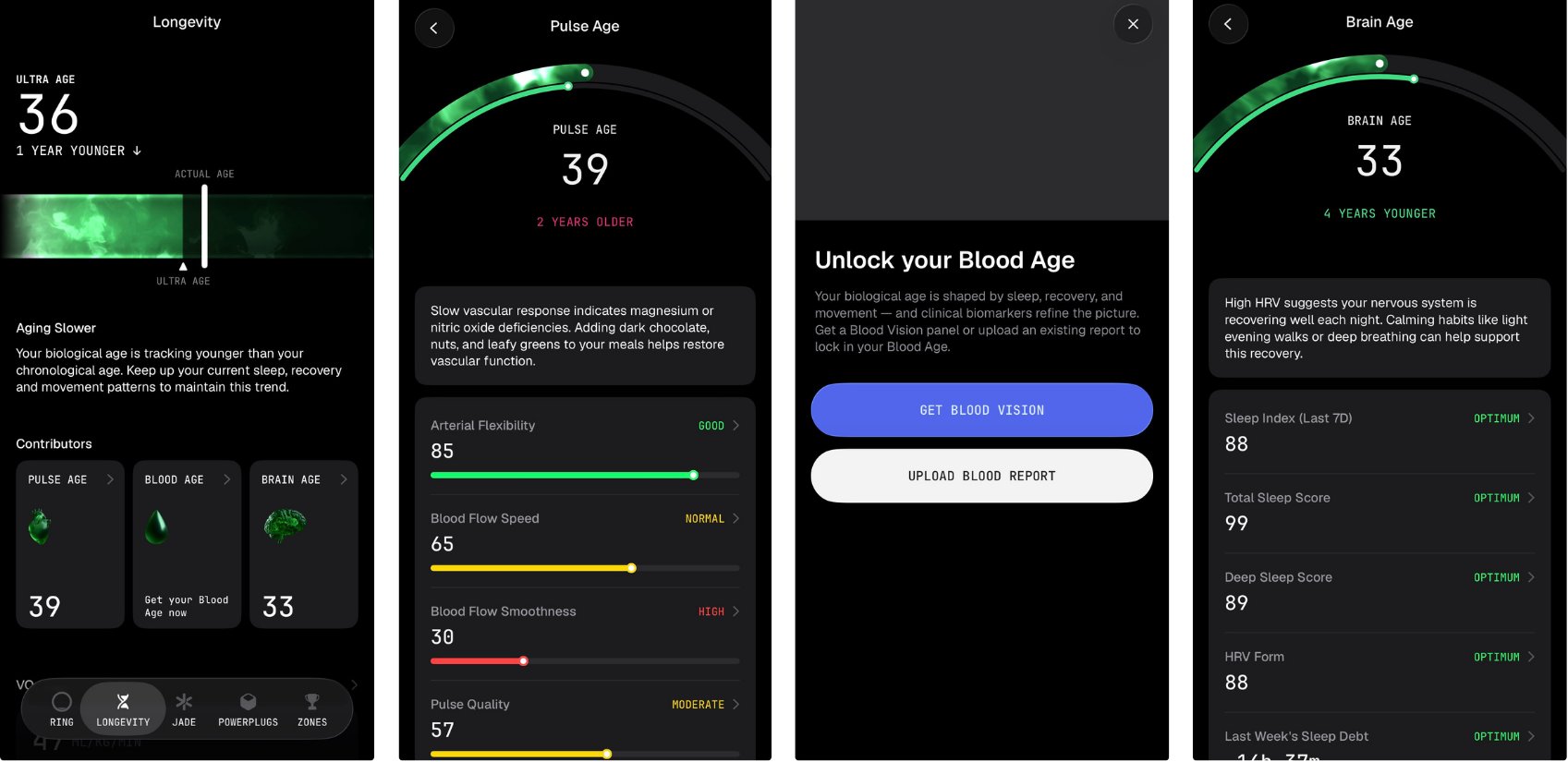
Credit where it is due on VO2Max – the algorithm got an update and the new values are definitely closer to what I measured in the lab.
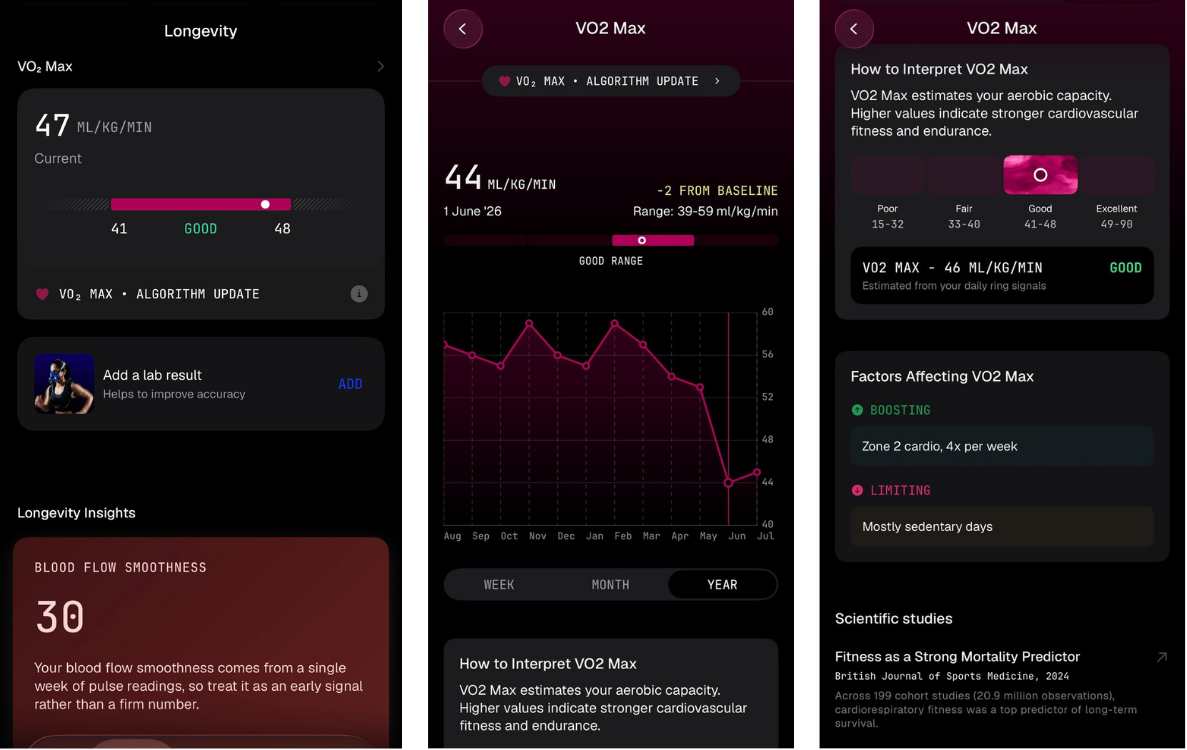
Longevity Insights are AI-generated insights based on your measured data, and they double as a gentle lure to try Jade, Ultrahuman’s AI tool. In my simple test Ultrahuman shot itself in the foot, because the pre-defined question turned out to be a bit of a dead end:
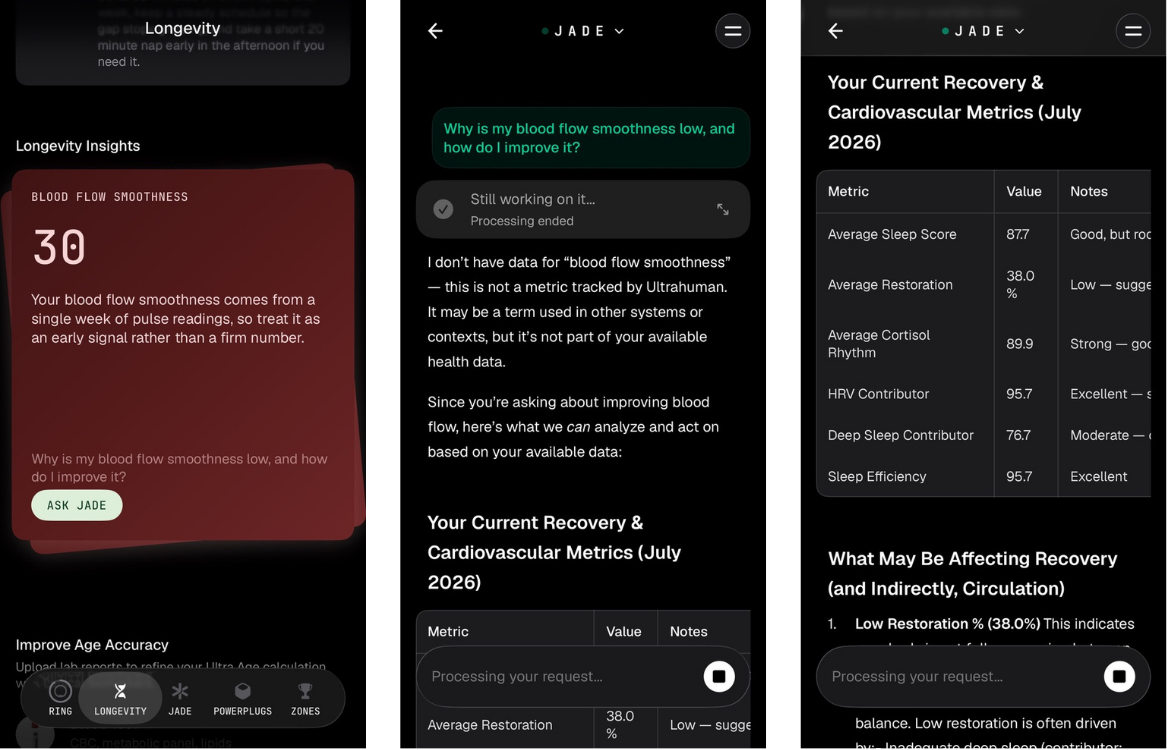
Which brings us to the third tab, Jade – which, as I hinted above, you can reach from several places.
Jade
It is a classic LLM chat where you pick between two modes – normal and deep research. And because LLM compute costs money and Ultrahuman does not have a subscription to cover it (unlike Whoop or Oura), you get roughly 5 credits a day. One question = one credit.
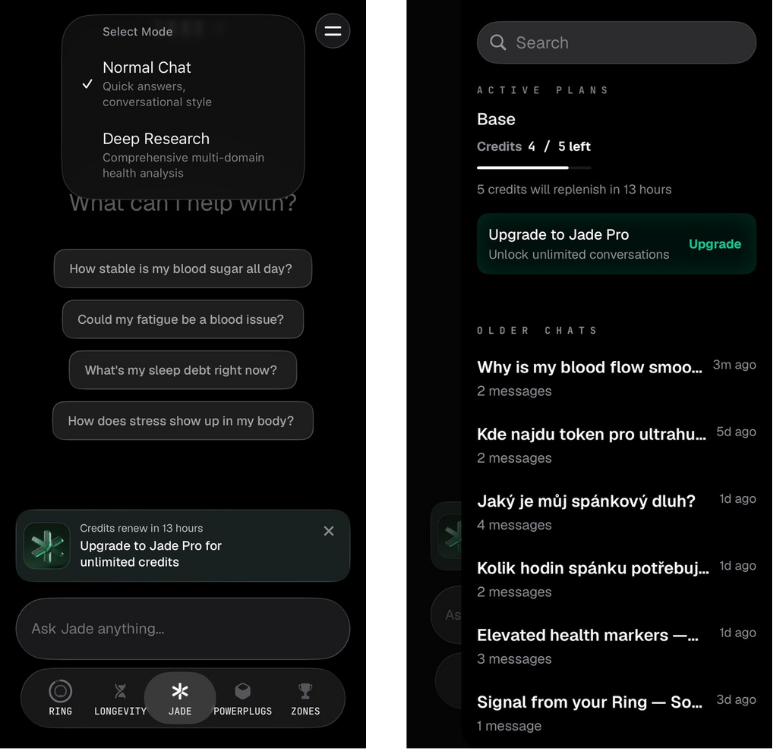
The upside, obviously, is that the answer is generated using your measured data – from both the ring and the CGM. Data from Ultrahuman Home is not available to it yet.
PowerPlugs
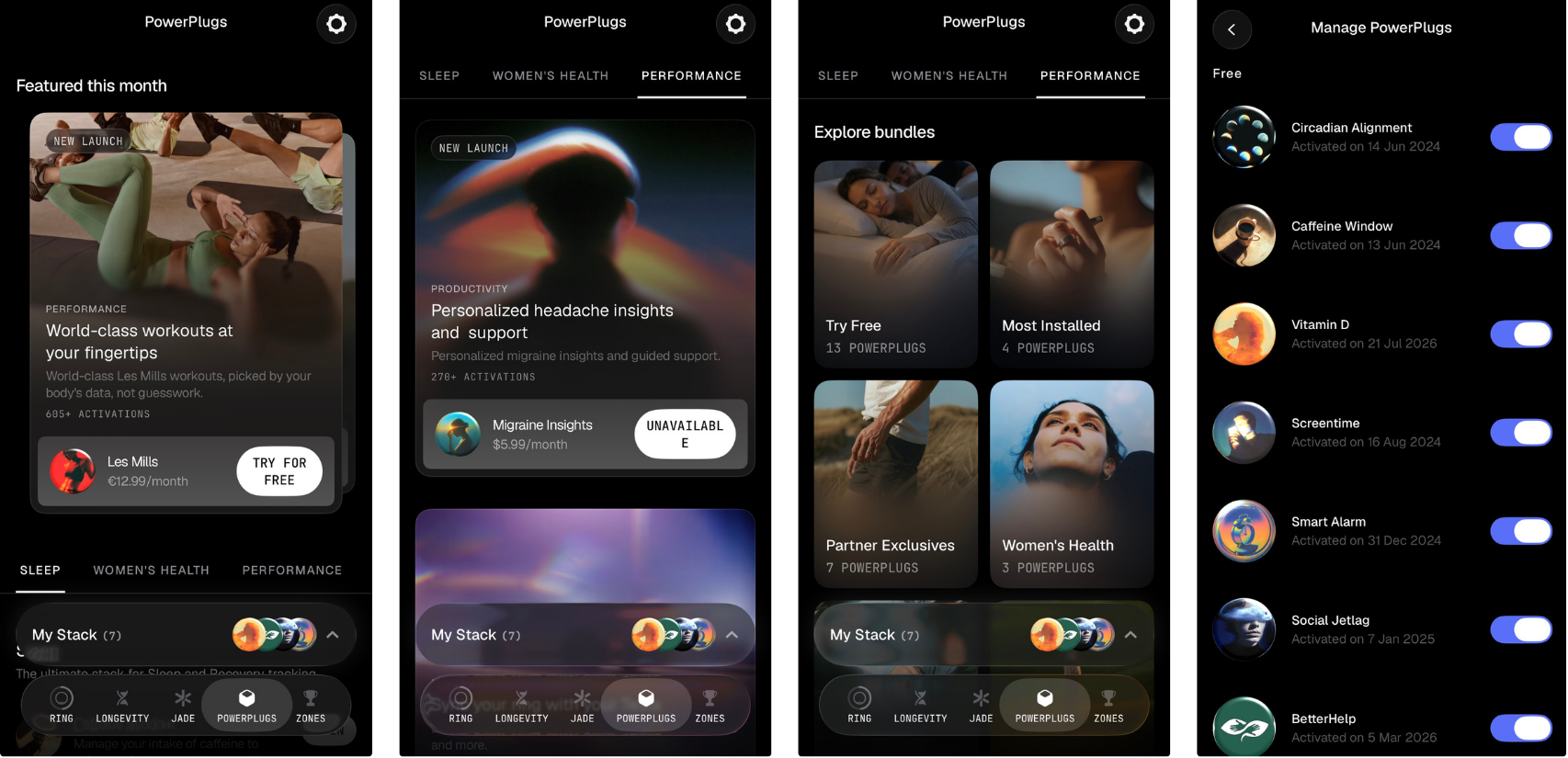
PowerPlugs is the long-standing marketplace concept where you add features that are not part of the app’s standard core. Some are free, some are paid.
LORDoftheSMARTRINGS
Broadly, what has happened here is a better categorisation of the individual features.
Zones
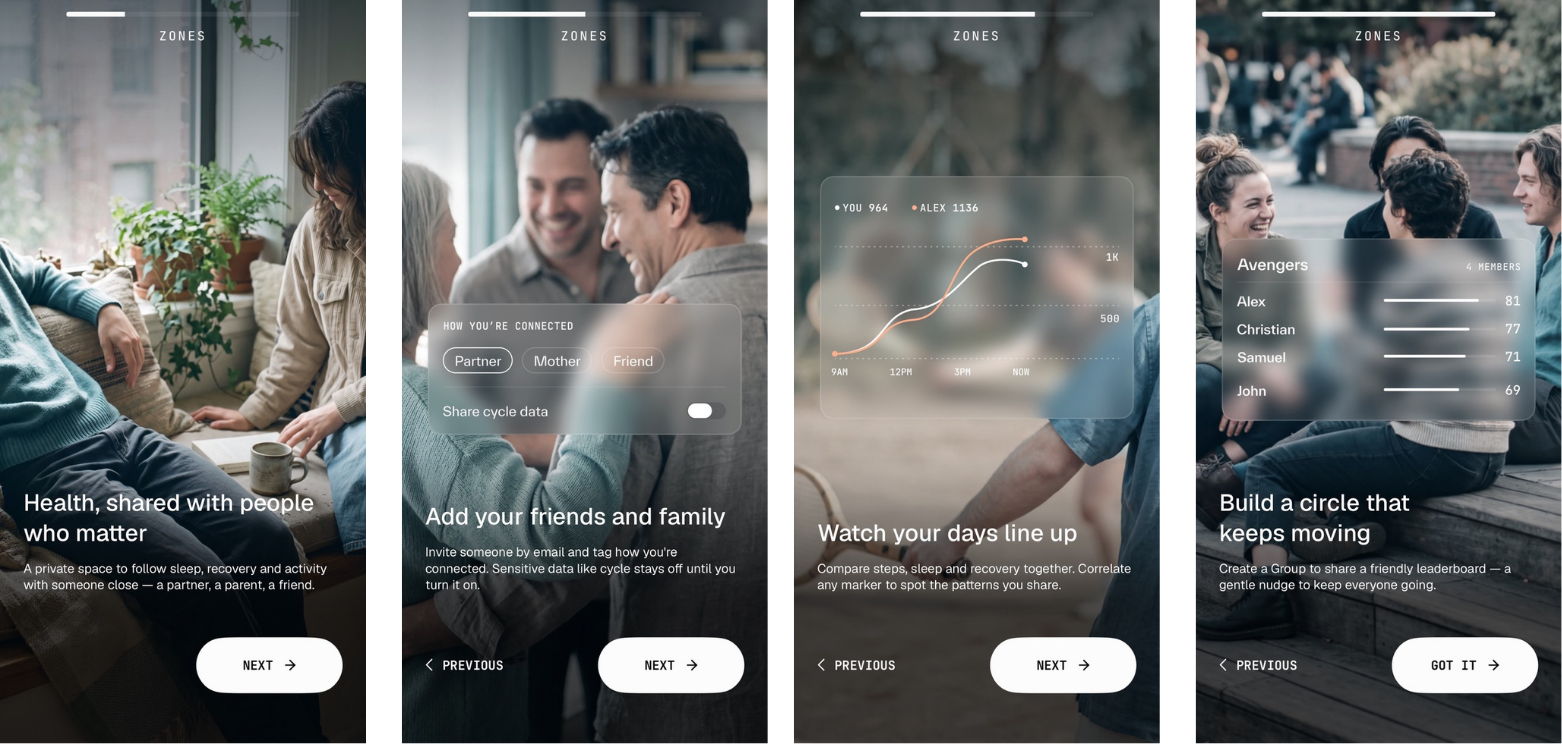
This is the last tab — and unlike PowerPlugs, it has seen bigger changes. Ultrahuman is well aware of the community potential (read: friendly nudging between mates) and of the family-monitoring angle:
Customer support
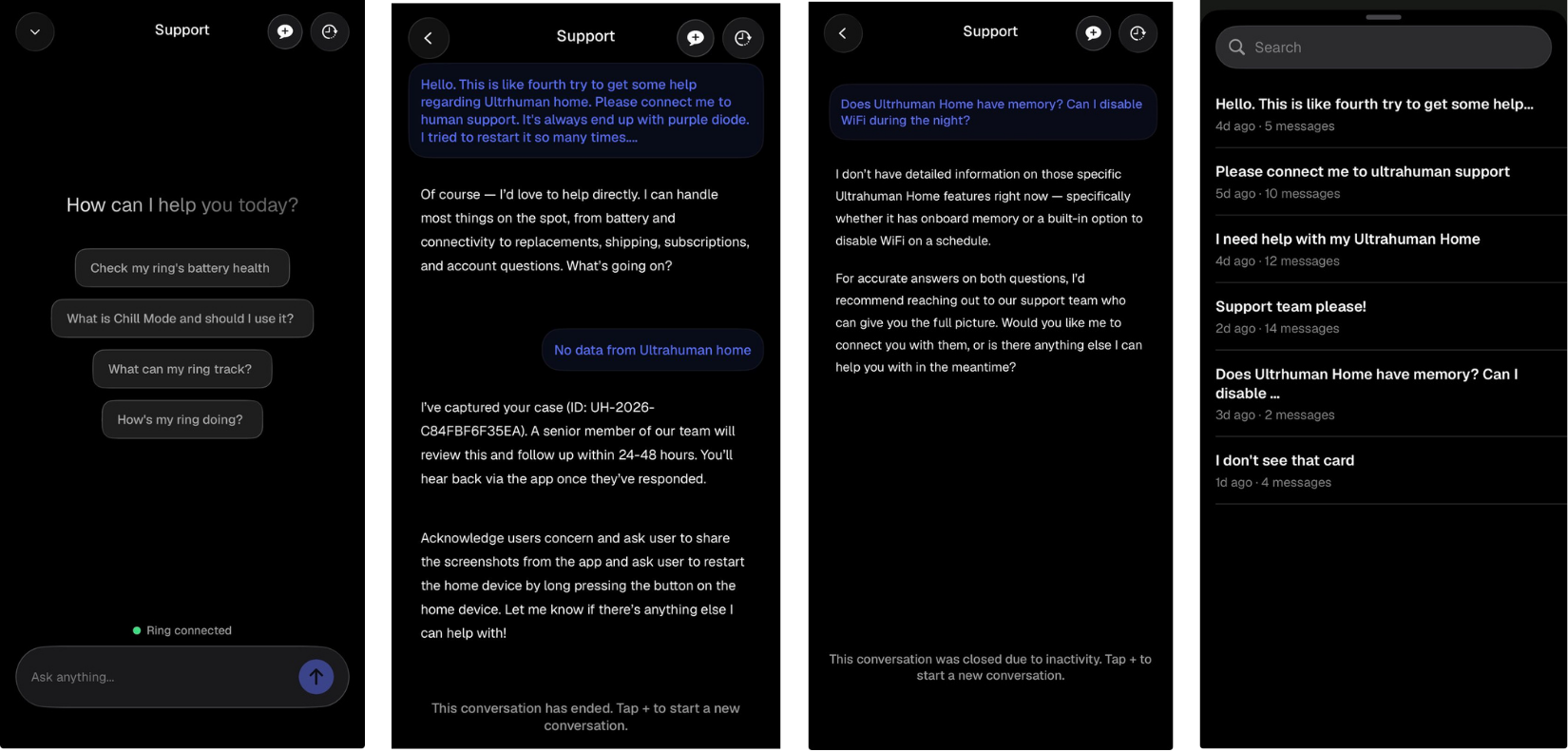
Years ago I praised Ultrahuman’s customer support a great deal. It was fast, willing, helpful and… human! As the company grew and sold more products, the number of customers and requests naturally went up. Part of most companies’ strategy is to put an automated LLM in front of the support team. With Ultrahuman it is now very hard to reach a human, to share screenshots inside the app, and conversations often get closed before I manage to reply. A real shame.
🌐 Other observations
- Ultrahuman Emerald promises better offline operation. So far, though, it looks like you still need the servers (and the internet) to sync and calculate your night-time data.
- Swiping between days has stayed in the app. I like that.

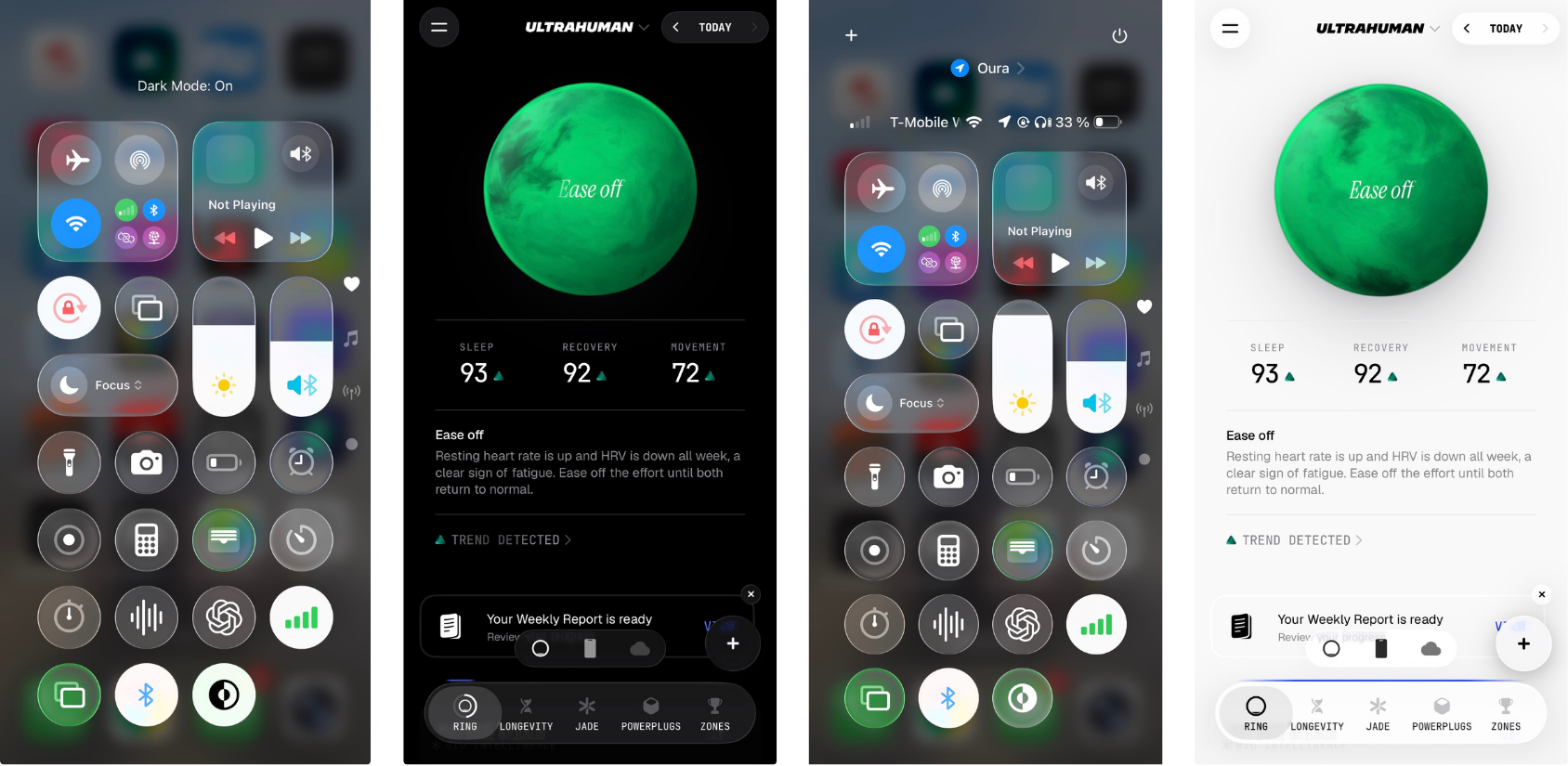
- A nice touch is the black-and-(or)-white mode that follows your phone’s settings.
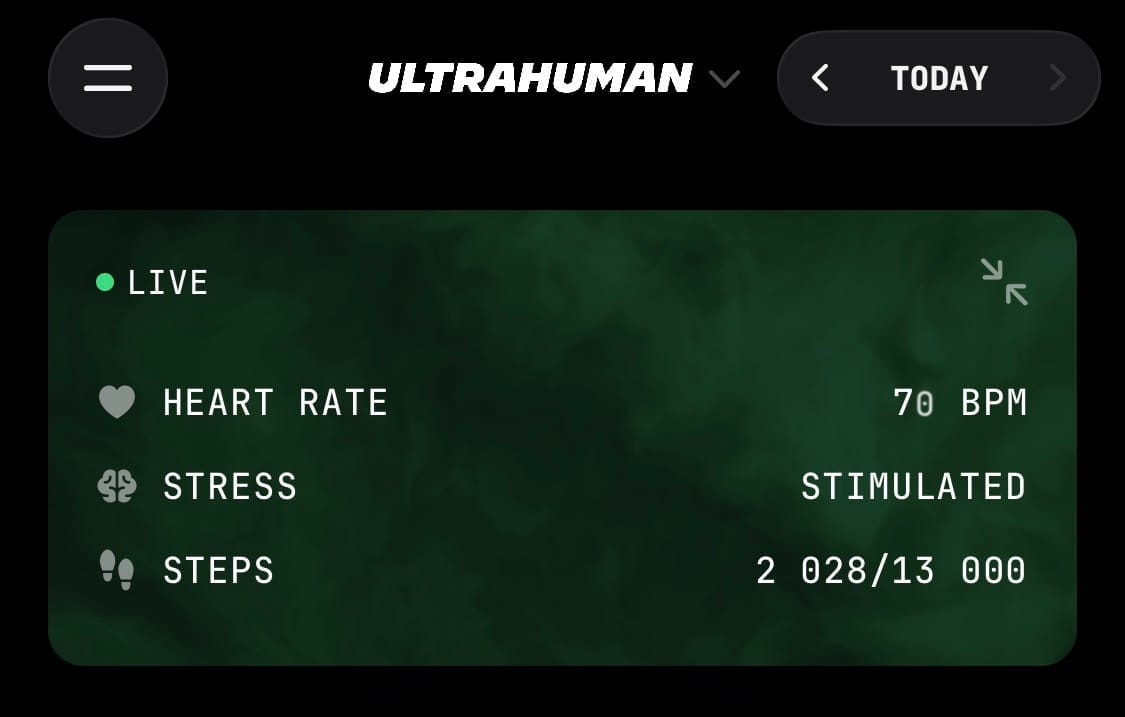
- Pull-to-refresh does not refresh the data in the usual sense – it shows live heart rate, stress and step data instead.
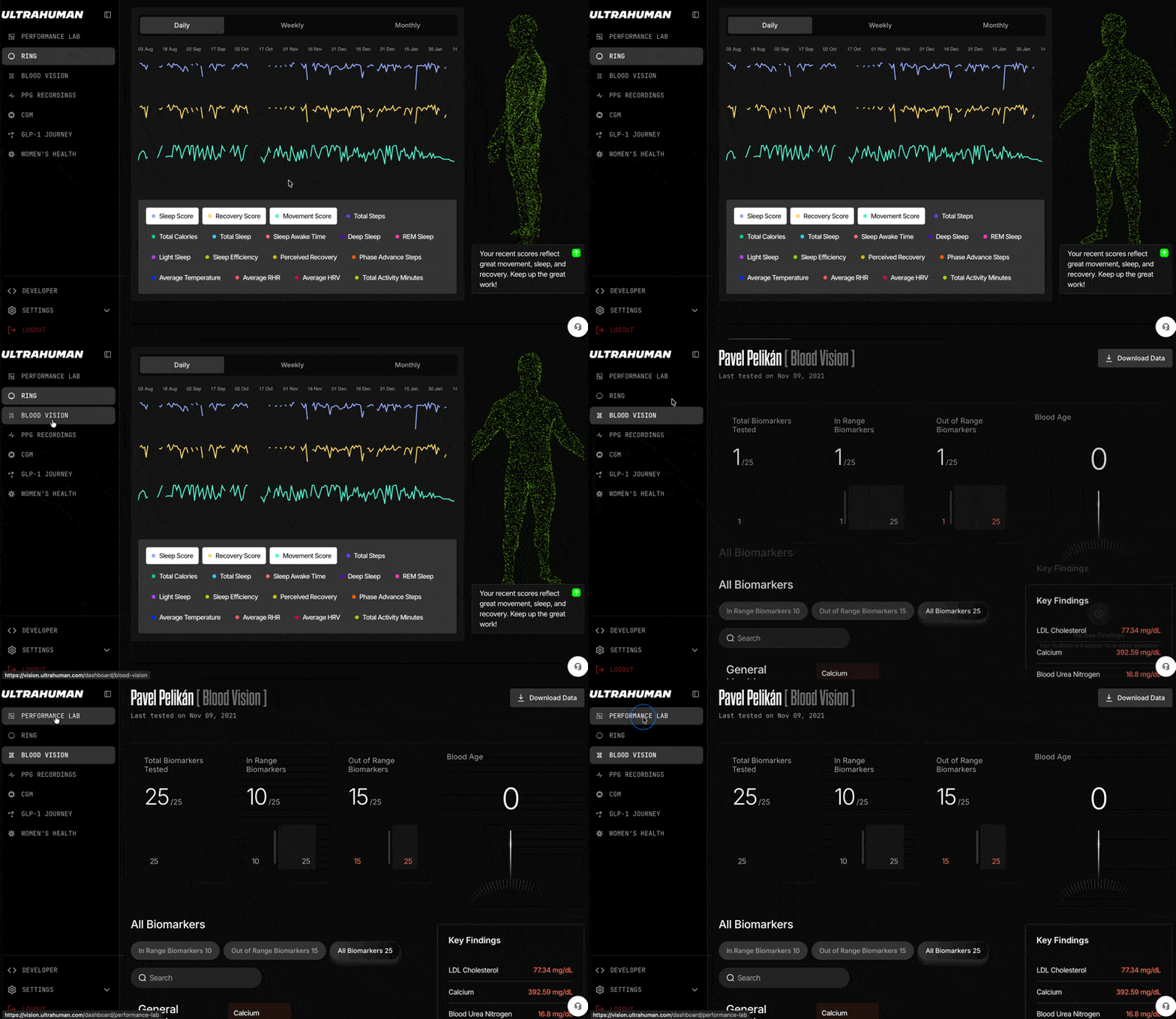
- Also worth a mention is the quietly improved web dashboard, something Ultrahuman rarely brags about but probably should.
👍👎 Ultrahuman PRO and Emerald
The Ultrahuman PRO is a bit of a paradox. As hardware, in a season when the entire smart ring segment is slimming down, it goes in exactly the opposite direction – which only sharpens the contrast.
At the same time it offers things well above the standard: very decent battery life, a luxurious case and, above all, a completely rebuilt app – without question the most ambitious update Ultrahuman has ever shipped.
So the pros and cons line up fairly easily:
✅ Pros
- No mandatory subscription – unlike the Oura 5
- Very solid battery life (11 days in Turbo in my test)
- Luxurious charging case included in the price
- Third-party device support during workouts (Apple Watch, Garmin, WHOOP, AirPods)
- Rebuilt Ultrahuman app – clearer, more dynamic, more accurate (VO2Max in particular)
❌ Cons
- The physical size of the ring, the thickness above all
- Declining quality of customer support
- Nothing premium (haptics, for instance) to justify the extra bulk
Final verdict
I can recommend the Ultrahuman PRO to anyone who does not mind a ring on their hand and is not hunting for the most discreet device on the market. I am glad Ultrahuman timed the app update to this window, because the Ultrahuman rings (Air and PRO) deserved it and the app badly needed the rebuild. I particularly rate the cleaner header and the unique real-time interpretation of the data.
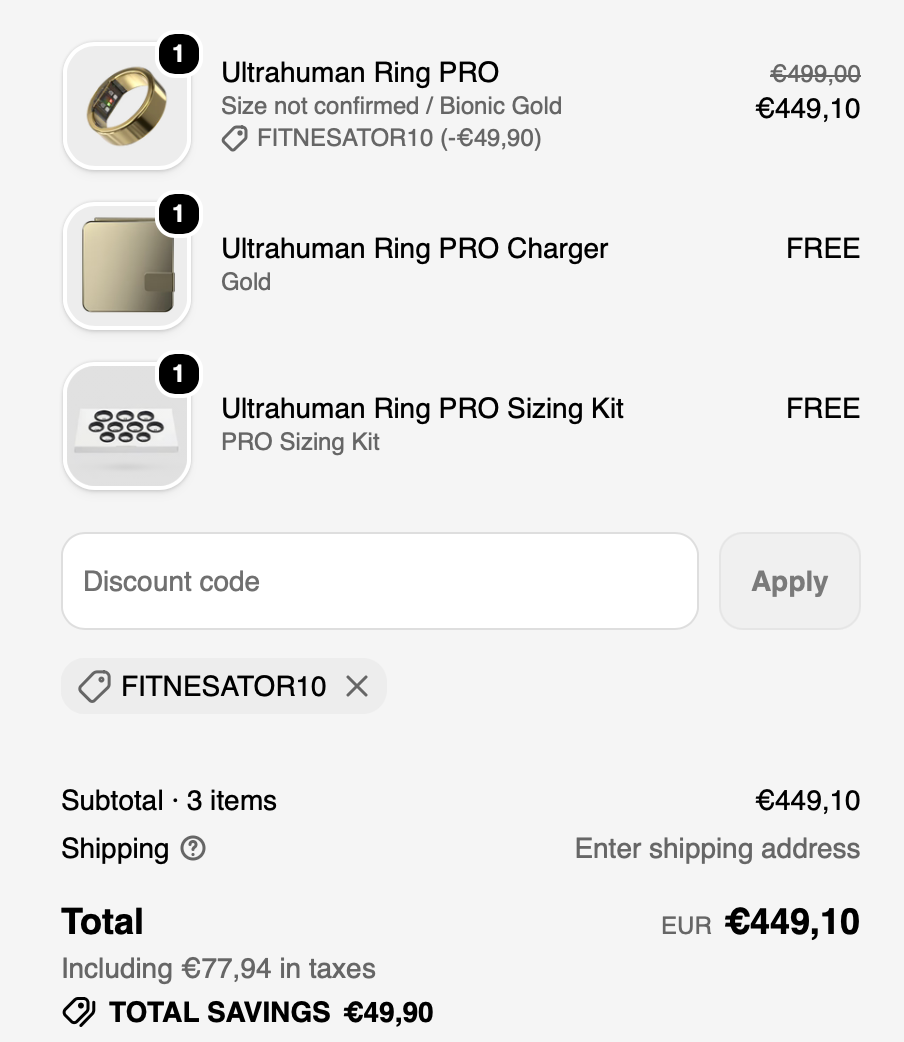
On price, the Ring PRO starts at $479 in the global store – with the discount code FITNESATOR10 you pay $431. In the EU store it is €499, and the code FITNESATOR10 brings it down to €449. The PRO Charger and the sizing kit are included either way.
Ultrahuman PRO
On one side, a genuinely sophisticated next-generation Ultrahuman app called Emerald. On the other, a ring that got bigger. That costs it at least one star.
Full breakdown of what the code covers, EU vs global store and when I last tested it at checkout → Ultrahuman Ring PRO discount code
It is a shame the extra size is not offset by something more premium. Haptics, for instance. Maybe it will be offset by a longer product life – but it is too early to call that.