RingConn Gen 3 - Vibrating, Still Compact, "Blood-Pressure"-Indicating... Perfect?
After testing every generation, I’m diving into the brand new RingConn Gen 3. With groundbreaking vascular trends, a built-in haptic motor, and a sleek new matte finish, this dark horse of the smart ring market continues to deliver premium hardware with zero subscription fees.


Following the RingConn Gen 1, Gen 2, and Gen 2 Air, I’ve finally gotten my hands on their latest model: the GEN 3 (thanks to the team at RingConn!). At the risk of repeating myself, I still consider RingConn to be the dark horse of the smart ring market - and despite the usual stereotypes surrounding Chinese hardware, this is definitely no lazy copy-paste job.

They have a long track record of delivering high-quality, compact hardware with excellent battery life — a very challenging feat in the smart ring sector — without any overhyped, glossy marketing nonsense.
In this piece, I’ll share my fresh, first impressions of the third generation and look at how it fits into the broader wearables context.
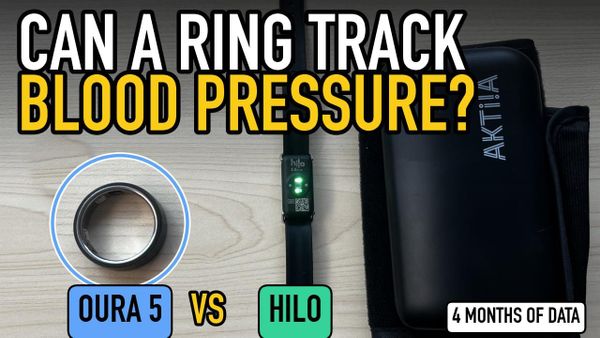
One of the GEN3’s biggest selling points is its "Vascular Insights." I’ll get to why they chose such a bizarre name in a bit, but essentially, it’s a metric tied directly to blood pressure. To put things into perspective, I currently have a Whoop strapped to my left arm and a Hilo on my right wrist, a dedicated wearable built specifically for continuous blood pressure monitoring.
Let's dive straight in. 💥
Hardware: RingConn Gen 3 and the Upgraded Charging Case
As an early adopter, I’ve had the unique opportunity to wittness the entire evolution of RingConn firsthand.
Let’s start with the unboxing:
The packaging
I don't usually obsess over retail boxes, but observing the changes here is actually quite interesting. While the dimensions of the packaging change with each generation, the core marketing tagline—"Know yourself better"—remains unchanged. Kudos for consistency.

The Charging Case
RingConn is offering its new flagship with a bundled charging case during the pre-order phase—a feature that has long been one of the brand's biggest competitive advantages. It retains the 500 mAh capacity (good for up to 150 days of total battery life), but the case itself has seen steady quality-of-life upgrades over time (generations).

The Gen 3 case introduces a dedicated reset button—an upgrade over the old method of repeatedly placing the ring on the magnetic charging pins.

The new case is slightly more compact (64 × 64 × 24.5 mm versus the Gen 2’s 67 × 67 × 27 mm) and noticeably more universal—thanks to a smaller middle part, it now accommodates all ring sizes.

Charging
As mentioned earlier, RingConn sticks to its tried-and-true magnetic charging setup. It’s a battle-tested method across all generations—and fun fact: Ultrahuman is actually pivoting to this exact approach with their new PRO model.

Battery Life — Still Best-in-Class
The advertised battery life sits at 11–14 days with vibrations turned off, and 10–12 days with haptics enabled. To put things into perspective, RingConn clarifies that the 10–12 day estimate is based on roughly 20 seconds of buzzing per day. More vibrations naturally mean a faster drain.
Battery longevity can also vary depending on the ring size. While it’s too early to make a definitive judgment after just a single charge cycle, it already looks like we're on track for well over a week of effortless runtime—mirroring the performance of the Gen 2. In my book, that's an outstanding result.

Dimensions and Weight
On paper, the Gen 3 is slightly thicker than its predecessor—2.3 mm compared to the Gen 2's 2.0 mm - with a weight ranging from 2.5 to 3.5 grams depending on the size. The reason for this is simple: the inclusion of the new vibration motor. Subjectively, though, the ring doesn’t actually feel any bulkier on the finger, and that’s coming from someone who daily-drove the Gen 2 for months. That said, it's worth noting that the official spec sheet only reflects the ring's thinnest point...

At its thickest point—right around the magnetic charging pins—the profile goes up to 3.5 mm.

Anyway, these dimensions are impressive, and I want to highlight its comfortable 6.8 mm band width, which remains virtually identical to both the Gen 2 and Gen 2 Air.

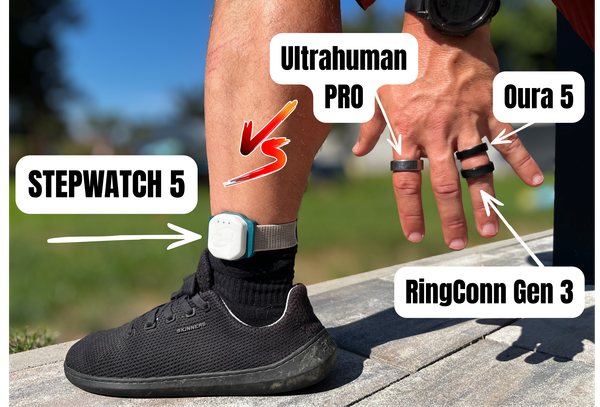
To give you a better picture, here is how it stacks up against the competition:

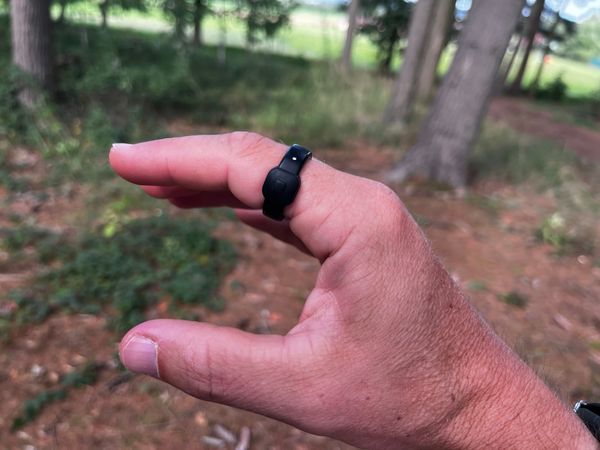
The difference in width is particularly noticeable in real-world scenarios, such as when worn on the finger.
The RingConn Gen 3 is a hair heavier than the Gen 2, but the real-world difference is completely negligible. RingConn officially quotes a weight of 2.5–3.5 g depending on the size, and my size 09 clocks in at exactly 2.9 grams.

Sizing
The good news is that RingConn now offers up to a size 15, meaning those with larger fingers are finally covered.

The downside, however, is that the Gen 3 sizing doesn't perfectly align with previous generations.

That being said, I found that the same size 9 still fits my finger flawlessly—even though the difference between the Gen 2 and Gen 3 is...

Orientation Indicator
Back when the Gen 2 Air dropped, I got the impression that RingConn had finally realized the value of etching an orientation marker onto the outer shell to ensure the ring is oriented correctly on the finger. Apparently not. Maybe Oura politely reminded them that it wasn't such a great idea...

On the other hand, RingConn Gen 3 still has inner bumps, so I can easily get the orientation right purely by feel.
Color variants
Anyone who knows me knows I’m no fan of high-gloss rings. The Gen 2, for instance, is so reflective it practically works as a mirror...

Which is why the Gen 3 scores serious points in my book for its new matte finish—at least on my Matte Black version:

Scratches
But matte finishes and highly visible scuffs often go hand in hand. My Oura Ring could certainly tell you a thing or two about that...

Sensors
RingConn doesn't dive into specifics regarding its sensor tech, listing the usual suspects on the hardware spec sheet: PPG optical sensors, a 3-axis accelerometer, a temperature sensor, and now, the new haptic motor. Looking at the inner part, it’s obvious that the internal architecture has undergone a significant redesign.

SW - RingConn - updated app
I'm currently testing beta version 4.0.1, which is optimized for the Gen 3, giving me full access to the settings and insights relevant to this new generation. The app update is slated for an official public rollout on May 29, 2026.
Let’s be honest: RingConn isn’t afraid to push boundaries by introducing unique features to the smart ring space—first with Sleep Apnea Monitoring, and now with Blood Pressure Trends. That said, keeping the broader competitive landscape in mind, I wish they would show that same boldness when it comes to their RingConn app.
While the latest update brings a minor visual overhaul, new tabs, and a few refined details (which I'll break down below), the UI/UX still lags behind.
App development has been a slow burn, and I’ve actually covered one of their previous major software milestones right here:
 LORDoftheSMARTRINGS

As seen above, the changes to the main dashboard are largely cosmetic. However, when looking at the new hardware alongside this major app overhaul, a few key upgrades are definitely worth highlighting:
- Redesigned app
- Haptics / vibrations
- The new Discover tab
- Blood Pressure Trends / Circulation Stress / Vascular Trends
Let's dive in.
🧑🎨 Redesign
First up is the Wellness Balance module I touched on earlier—it still lets you choose between a diamond or a flower-shaped visualization, depending on your aesthetic preference.
It’s just a shame that the accompanying insight—that single sentence sitting beneath the graphic—remains so bare-bones. I really wish they would finally flesh it out a bit more.

Tapping through from the Wellness Balance module still lets you drill down into your individual scores. This now gives you a view of your historical trends over time—which is a nice touch—as well as the breakdown of your score contributors. It's safe to say there was some heavy Oura-spiration going on there...

The Vital Signs module also received an update—a highly informative and well-executed feature. While it wasn't strictly necessary, I'm certainly not complaining

Then there are the finer, nuanced details, like overlaying your heart rate curve directly onto your sleep stages.

Here is how the version 4.0 changes are presented post-update:

📳 Haptics — A great idea with some major caveats
This is the most significant hardware upgrade on the Gen 3, and easily the feature that requires the most context. Haptic feedback is also something of a polarizing topic, effectively splitting the smart ring community into two distinct camps: those who want it, and those who don't. And even the pro-haptics crowd is further fractured over exactly what these vibrations should trigger alerts for... I won't spoil which team I play for just yet; instead, let's break down how it actually works—or doesn't.
Settings
Configuration is pretty straightforward—you get toggles for Battery Reminders, Sedentary Reminders, and Health Alerts. Plus, there's a customizable Do Not Disturb schedule (which I have set from 10:00 PM to 8:00 AM).

As for the vibration intensity, I'd rate it at about a 4 out of 10. It's gentle and subtle—easy to notice when you're awake and relatively still.
What the haptics can't do—and this is crucial
Right there in the FAQs on ringconn.com, it’s spelled out in black and white: the vibration motor is intended exclusively for health alerts and reminders, not for messages, calls, or alarms. That means no text notifications, no incoming calls, and absolutely no Instagram likes.
Ultrahuman, on the other hand, does offer a "smart alarm" feature—but it’s routed entirely through your phone rather than relying on actual on-ring haptics.
A smart silent alarm would make a ton of sense and serve as a massive selling point. It’s a highly requested feature; plenty of people want to ditch phone alarms but hate wearing a bulky smartwatch to bed.
Bug or Critical Flaw?
I have to mention something here that caught me off guard. So far, the ring has only vibrated twice—both times for health alerts (one flagged a headache, which, given a mild hangover after a few beers, was actually spot on). The problem is, the vibration didn't happen in real time. It only triggered the moment I opened the app and forced a manual sync. And that's just too late.
In other words, the ring needs to actively sync to deliver the alert. A standard mobile push notification would have beaten it to the punch. For health alerts, this is a massive bottleneck. I'll be watching closely to see if this gets ironed out during testing or if it’s just a systemic quirk of the beta.
🔖 The New Discover Tab
I’m not entirely sure RingConn has a clear vision for the new tab in the app's bottom navigation bar, but with the latest update, there it is: Discover.
Right now, it houses three main sections:
- Exercise – Features your Cardio Fitness Level (essentially an estimated VO2 max), workout history, and the option to manually kick off a new activity.
- Sleep Apnea Monitoring – Contains your sleep apnea screening reports.
- Blood Pressure Trends – The headline feature exclusive to the third-generation hardware...
🩸 Blood Pressure Tracking
This is the headline software feature for the Gen 3, and an area where RingConn is treading very lightly with its terminology. Perhaps they watched Whoop act like a bull in a china shop at the FDA offices...
Onboarding
There are already a handful of devices on the market trying to estimate blood pressure trends using optical sensors. The onboarding process here follows a familiar blueprint: wading through the usual "not a medical device" legal disclaimer ➡️ filling out a questionnaire ➡️ taking a baseline reading with a traditional cuff monitor ➡️ and finally, mapping it to the optical sensors. It’s essentially a machine-learning training process. RingConn calls this calibration and recommends repeating it every 28 days.

RingConn leverages its PPG sensors to monitor long-term patterns of vascular strain and blood circulation. What you get as a result is a high-level trend line, not a concrete blood pressure reading like 120/80.
So, what kind of data am I actually seeing after a week of testing?
The centerpiece is a traffic-light-style rating system categorized into Stable, Slight, and Noticeable. Down the road, I expect the real value will lie in the historical trends—giving you a macro look at your daily, weekly, and monthly data.

My Perspective as a Beta Tester
I kicked off testing on beta version 3.16.2, meaning I got my hands on this feature way ahead of most users. Over the course of my review window, both the ring's firmware and the RingConn app received updates.
In parallel, I’m wearing the Hilo Band—currently the only certified wearable dedicated specifically to continuous blood pressure monitoring—giving me a solid baseline for comparison. At the same time, I've got a Whoop on my arm, which is also wrestling with blood pressure tracking in its own right.

So far, the data trends across these devices aren't aligning. But I’m not jumping to conclusions just yet. Tracking blood pressure trends via optical sensors is still very much in its infancy, and it’s an incredibly tough nut to crack.
I’m going to give it some more time, run another calibration cycle, and cross-reference with more baseline readings from a certified medical cuff before making a final call.
RingConn Data
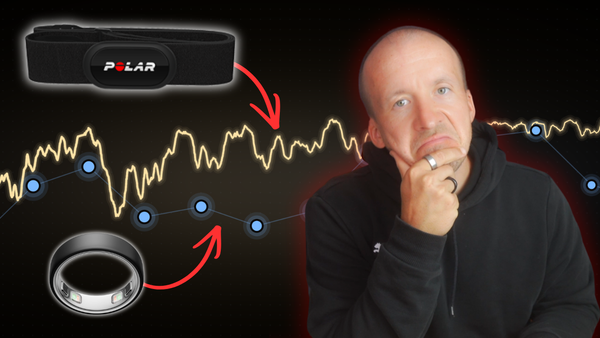
This is where I have to pull no punches. I wanted to pit the Gen 2's optical sensors against the Gen 3 during workouts, but once again, I hit a familiar roadblock: you just can't export truly granular data.
While RingConn does support manual data exports, the files are far too surface-level to be of any real use.


And that's to say nothing of the lack of an API or a web dashboard for deeper data analysis...
💰 Pricing — Easily the Best Value of the Premium Trio
The Gen 3 starts at an early-bird price of $385, with standard retail set at $428.
That figure is undeniably higher than what we saw with previous generations. But you have to look at the broader context:
| Ring | Purchase price | 2-year subscription | Total 2 years | Note |
|---|---|---|---|---|
| RingConn Gen 3 | $385 | $0 | $385 | Pre-order price |
| Oura Ring 4 | €399–€549 | €144 | €543–€693 | Unusable without subscription |
| Ultrahuman AIR | €379 | €0 (for now) | €379 | Some features behind paywall |
Oura subscription €6/month = €144 over 2 years. Ultrahuman has no mandatory subscription yet, but is gradually moving features behind a paywall. RingConn is the only one keeping everything in a one-time price — no exceptions.
⬆️ Is it Worth Upgrading from the Gen 2?
This is a question I’ve already been asked a handful of times. My take? Probably not just yet—unless you have a very specific reason to make the jump.
Here is what the Gen 3 brings to the table over the Gen 2:
- Haptics — But without a silent alarm or real-time notifications, their utility is pretty limited right now.
- Vascular Trends — The most intriguing new feature, though only time will tell how valuable this data actually is.
- Matte and Brushed Finishes — A great alternative if the Gen 2’s glossy look wasn't your thing.
- A New Size 15 — But keep in mind that the physical sizing footprint might differ from the Gen 2.
If you’re perfectly happy with your Gen 2 and aren't itching to track vascular trends, there’s no urgent need to upgrade. However, if you’re dipping your toes into the smart ring world for the first time and want a subscription-free experience, the Gen 3 is currently one of the absolute best options on the market.
Conclusion
To be fair, calling this article a full review would be wrong. Testing is only just getting underway. I’ll share my definitive verdict after living with it for at least 30 days of real-world use once it leaves beta.
Here is where things stand right now:
- ✅ Best-in-class battery life — honestly, it might even outperform the official specs.
- ✅ The matte and brushed finishes are a massive upgrade.
- ✅ No subscription fees — still its strongest selling point against the competition.
- ✅ On-ring haptics make sense conceptually — you'll appreciate the low-battery alert instantly.
- ✅ Vascular Trends — promising potential, but the jury is still out.

RingConn Gen 3
In terms of dimensions, the best smart ring in the world. I'm taking a star off for the worse UX of the RingConn app.
- ❌ The companion app still lags behind the competition visually and analytically.
- ❌ No web dashboard and highly restrictive data export options.
- ❌ Haptics lack a silent alarm and real-time syncing — more potential than actual reality right now.
- ❌ Sizing differs from the Gen 2 — something to watch out for if you're upgrading.
- ❌ A higher price tag compared to its predecessors.