RingConn – can it tell when I’ve got a headache? New app updates!
Great battery life, unique sleep-apnea detection, compact design — that’s the RingConn Gen 2. And now the app has landed a very welcome update in version 3.13. VO₂ Max tracking, a new “Health Trends” view… and one big question: can the optical sensors really help track your circadian rhythm?

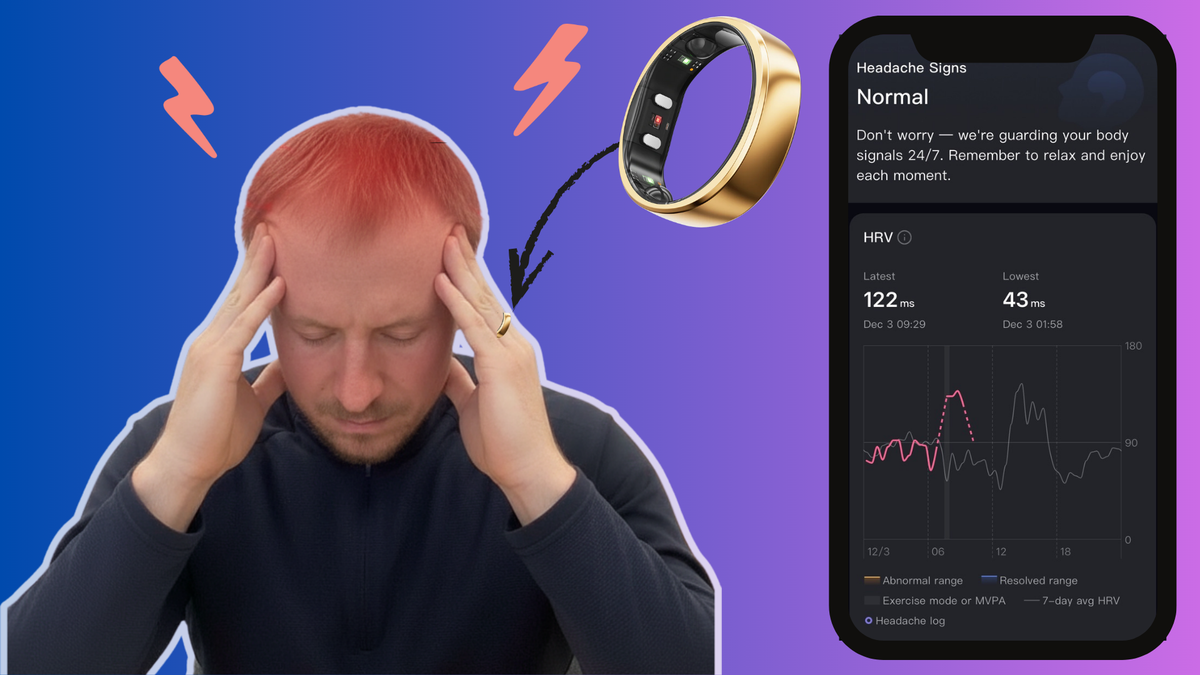
I used to be pretty critical of how slowly the RingConn team was developing the app — but things are finally getting interesting, and definitely worth a closer look. Today, I’m diving into the new RingConn app version 3.13, and as always, we’ll frame it in the context of the competition.
 LORDoftheSMARTRINGS
But first, let’s quickly remind ourselves what actually makes RingConn unique.
Alright then, let’s jump in 💥
Key features of RingConn
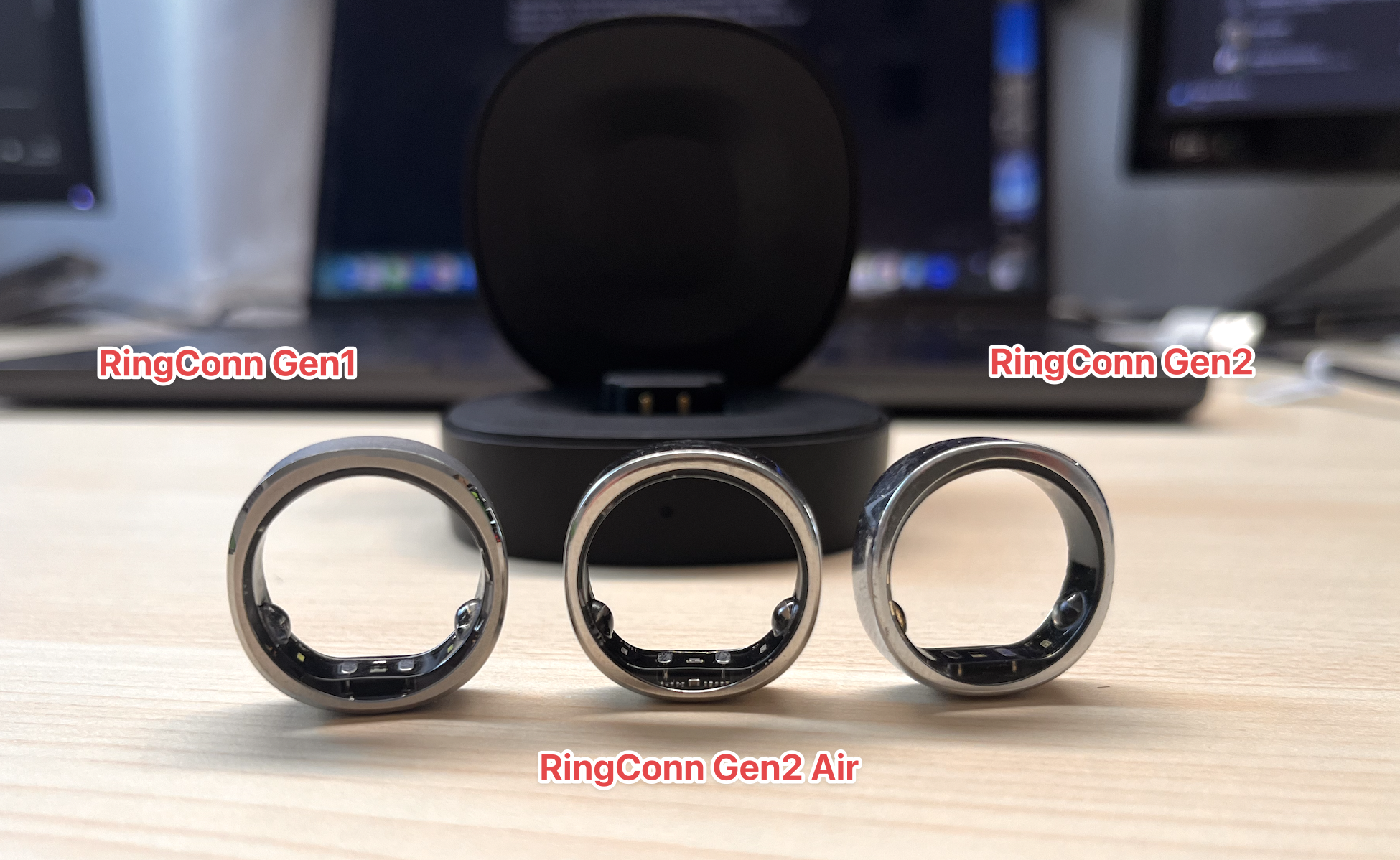
RingConn is a well-established smart ring, available in three versions: Gen 1, Gen 2, and the lightweight Gen 2 Air. At the moment, I’m primarily testing the Gen 2 model.
Sleep Apnea Tracking
RingConn is the only smart ring with a dedicated feature designed specifically to assess the severity of sleep apnea. It does this by analyzing SpO₂ levels, heart rate, and breathing patterns to flag potential signs of sleep apnea.
That alone makes it a genuinely useful tool for anyone who cares about healthy, high-quality sleep.
But enough with the marketing fluff — how does the ring actually perform?
I don’t suffer from sleep apnea myself (confirmed in a sleep lab), and the ring consistently gives me an AHI (Apnea–Hypopnea Index) between 0 and 4. So… does that mean it’s RingConn 1 point for RingConn?
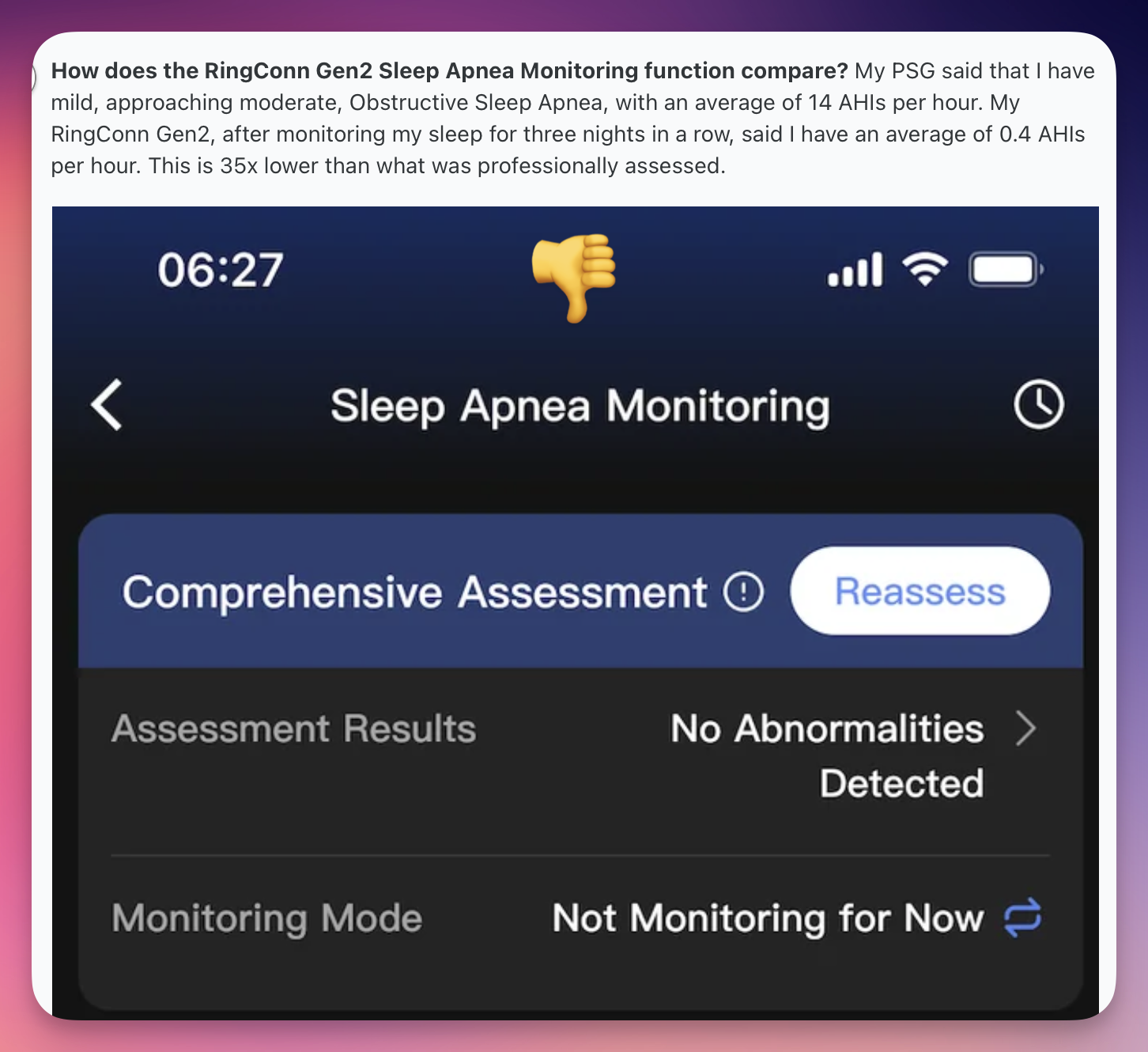
RingConn Sleep apnea experience
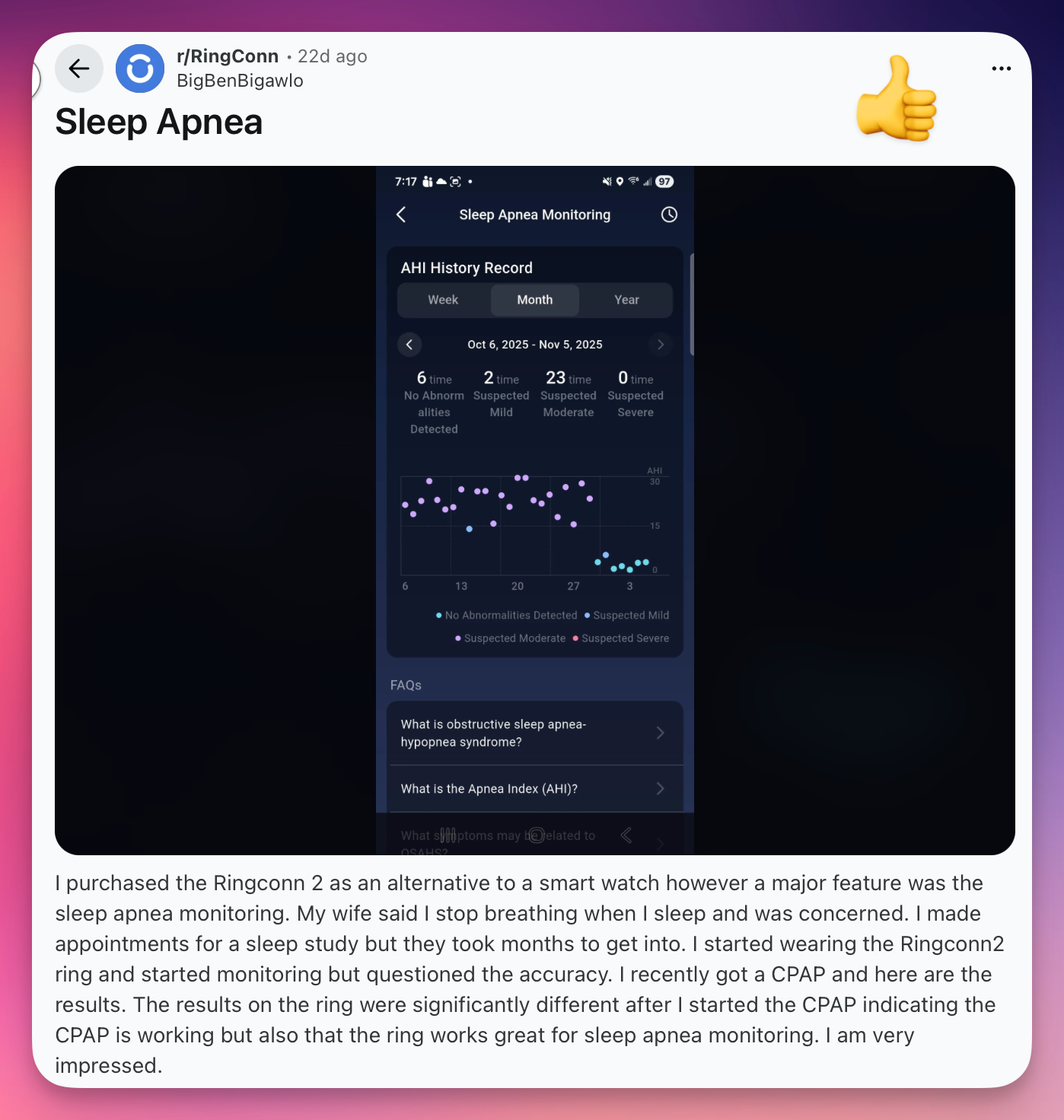
Not quite. As always, you’ll find both happy and unhappy users. One person says RingConn clearly picked up the effects of their CPAP therapy (Continuous Positive Airway Pressure) in the long-term trends.
Another user, however, complained that RingConn reported a severity level 35 times lower than what their sleep lab measured. It’s worth noting that this negative post is about a year old — and the app has noticeably improved since then, at least from my perspective. RingConn’s team also responded, explaining that ring-based measurements have their own specifics: ring orientation, sizing, night length, and so on.
If you’ve got personal experience with this, feel free to share it in the comments below.
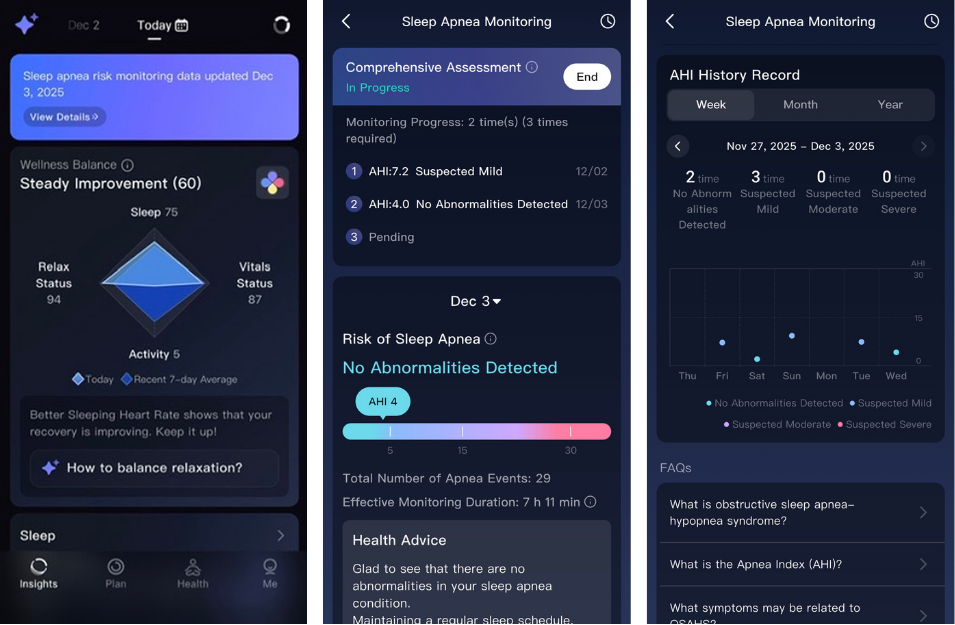
I eventually started tracking my sleep again myself — and while I’m not 100% certain, I think the older version required manually turning the measurement on and off every single night. Now, you simply activate the Assessment feature, and it runs automatically for three nights.
Extreme Battery Life
The ring usually lasts 10–12 days on a single charge — and with the charging case, you can stretch that to up to 150 days. That’s far more than what many competing wearables offer, and it also means you’ll get a longer overall lifespan out of the device, since smart-ring batteries typically start degrading noticeably after about two years.
Super-Slim and Ultra-Lightweight Design
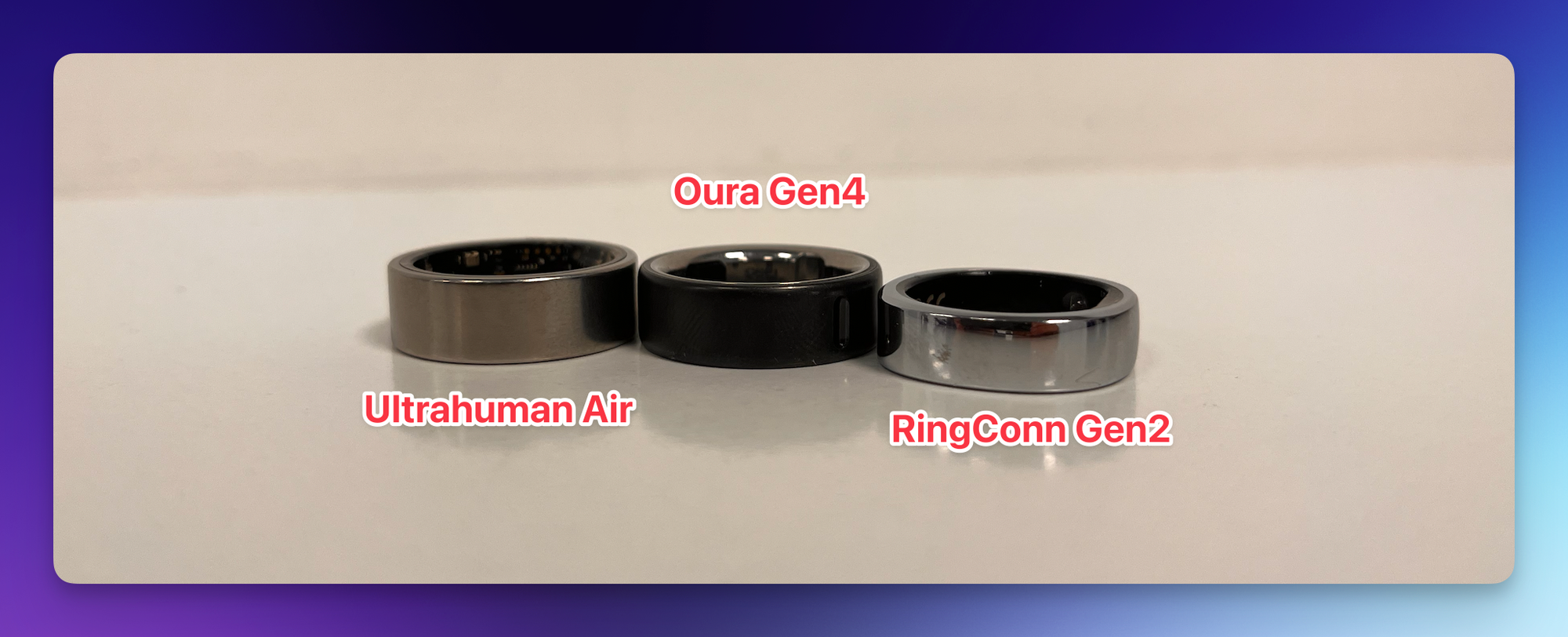
The RingConn Gen 2 (and the Air variant) has one of the slimmest bodies among smart rings. I covered the dimensions in more detail in my full review — right here.
No Hidden Fees
RingConn doesn’t charge any monthly subscription for its advanced features. All metrics — from heart rate to SpO₂ and HRV — are included in the price (the company explicitly states “No Subscriptions”). Compared to some competitors, that’s a big advantage. Oura is practically unusable without a subscription, and Ultrahuman has placed few “premium” features — their so-called PowerPlugs — behind a paywall.
Abnormality & Vital-Signs Monitoring
I consider these features not only genuinely useful but also really well executed visually (and in the case of Vital Signs, cleverly inspired by Apple). They reliably capture deviations from your personal baseline.
Thanks to this functionality, the ring performed exceptionally well in my comparison article: Best Smart Ring: ILLNESS 🤒.
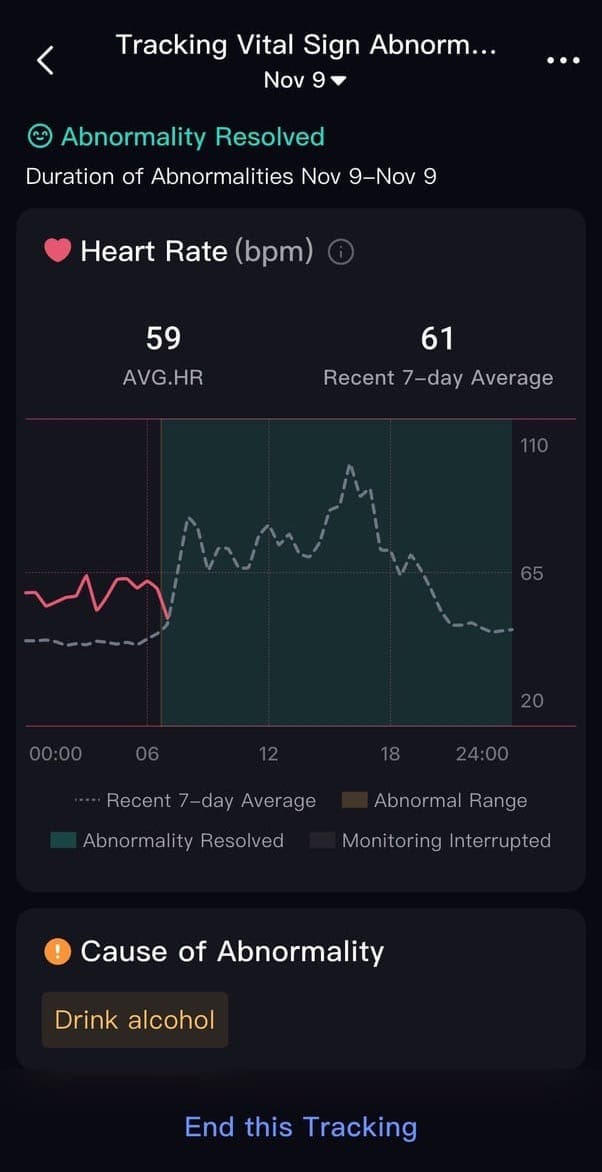
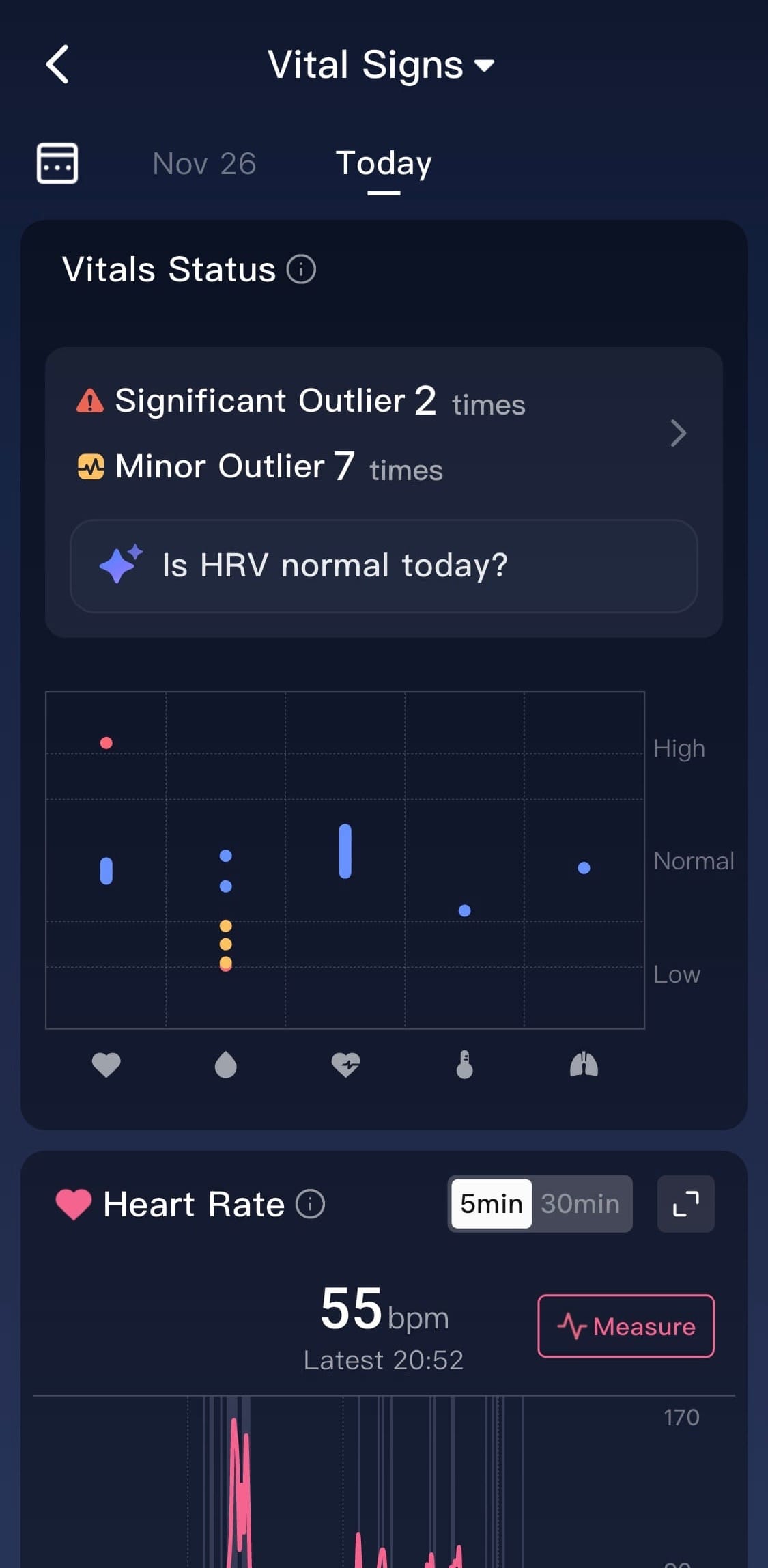
RingConn Vital signs
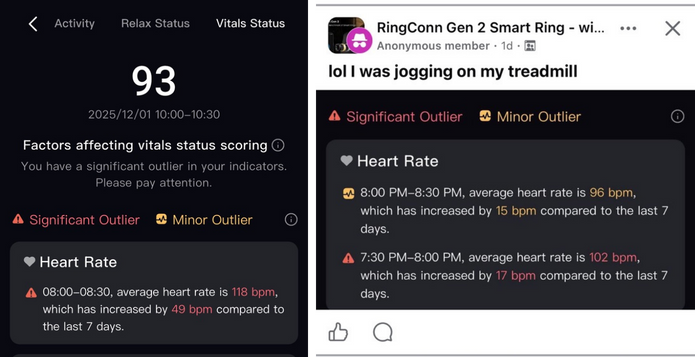
On the other hand, I have to admit that RingConn sometimes fails at automatically detecting certain activities. And in some cases, when your hands stay in a static position (so the accelerometer basically falls asleep) but you’re still active, it may incorrectly flag the activity as an abnormality — like in my cycling example on the left, or another user’s treadmill session on the right:
Cycle Tracking for Women
Thanks to its built-in temperature sensor, a smart ring is generally a useful tool for tracking and predicting the menstrual cycle and ovulation. Recently, I’ve been seeing more and more positive feedback and posts about these specific features — something I can’t test personally, of course.
What’s New in Version 3.13
Update 3.13 mainly introduces a revamped Health panel, expanded with a whole range of new — and sometimes surprisingly creative — metrics. I previously praised Ultrahuman for their out-of-the-box thinking (see Ultrahuman Sprint ’25 ), but it looks like our friends in China didn’t want to be outdone either.
You’ll see what I mean.
⚕️Health panel
So let’s break down the Health tab step by step. At the center of it all is the Lifestyle Score, ranging from 0 to 100.
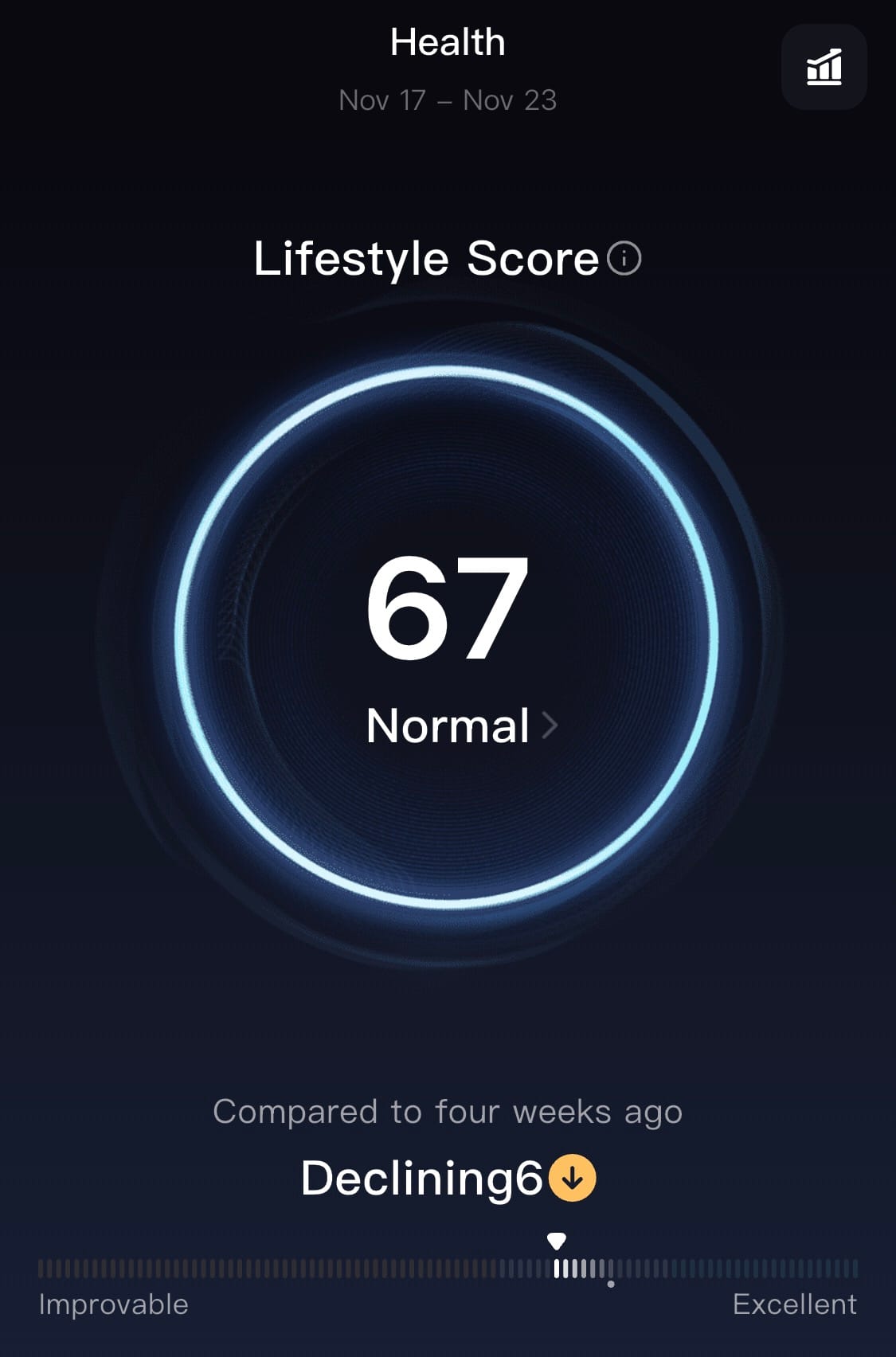
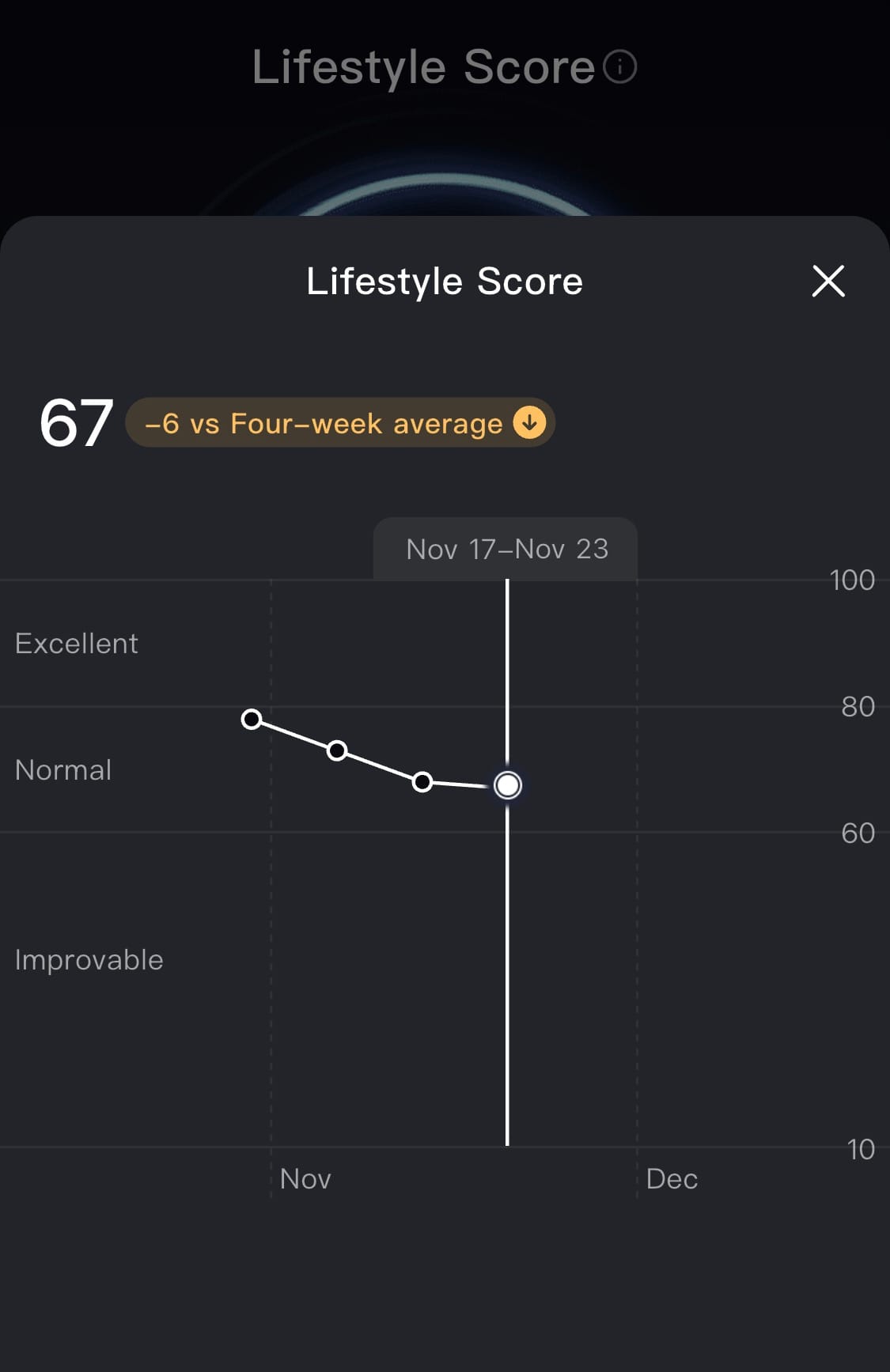
Lifestyle Score and trend
I’m genuinely pleasantly surprised by how solid the scientific foundation behind it is. It’s not just a random mix of metrics — the whole concept is based on the American Academy of Sleep Medicine’s professional statement “Sleep is essential to health.”
This document puts a strong emphasis on sleep — and specifically highlights that it’s not just about how long you sleep, but also about sleep–wake regularity, sleep quality and its restorative effect, pre-sleep habits, respecting your circadian rhythm through morning light exposure, and placing sleep within a broader 24-hour lifestyle context. That includes factors like sedentary time, total physical activity, and how regularly you move throughout the day.
These are exactly the areas RingConn translates into seven key dimensions that make up the Lifestyle Score — and we’ll go through each of them in detail.
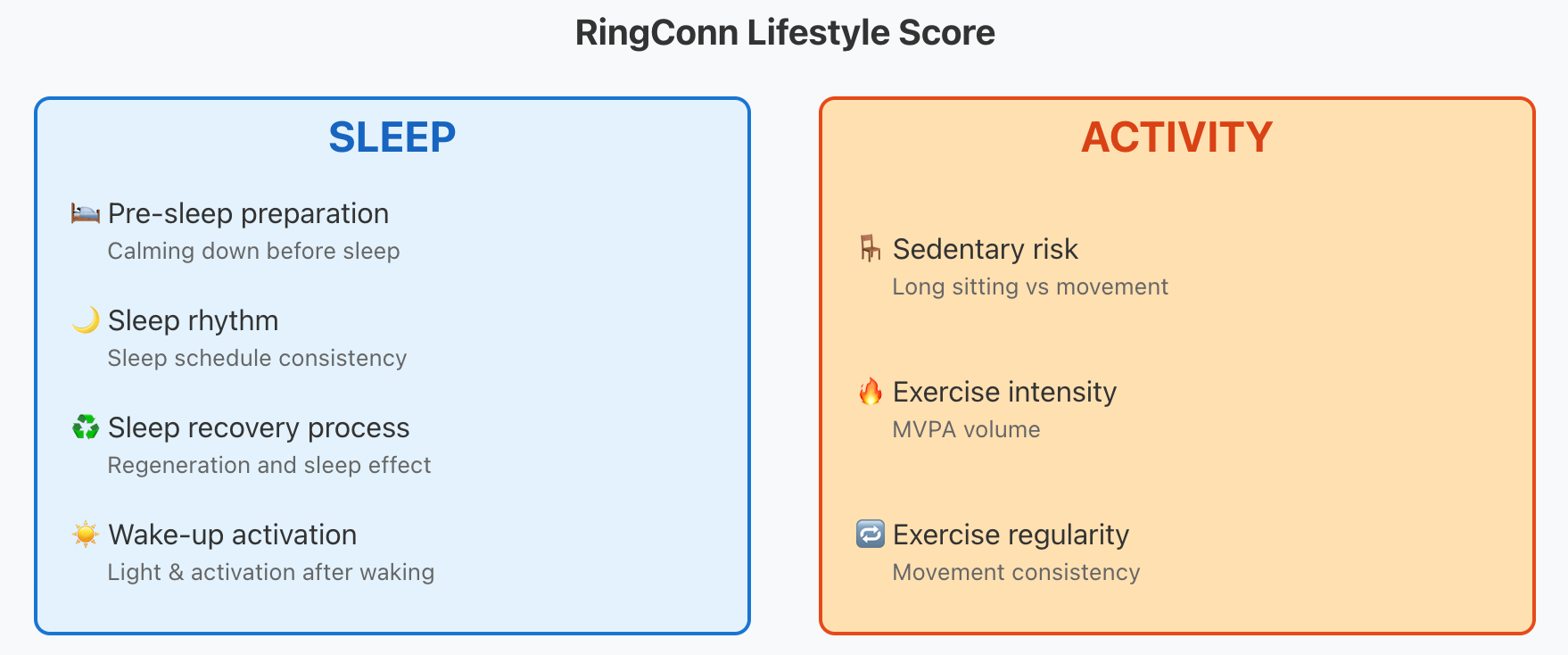
😴 SLEEP:
- Pre-sleep preparation – based on heart rate, HRV, and your light exposure before going to bed.
- Sleep rhythm – the core building block of healthy sleep: the regularity of your bedtime and wake-up time. From this, the app can visualise:
- Social Jetlag – the difference between your sleep schedule on workdays vs. weekends.
- Circadian Rhythm – identifying whether you’re an early bird or a night owl.
- Sleep recovery process – evaluates total sleep time vs. the share of “restorative sleep” (including efficiency, sleep stages, etc.).
- Wake-up activation – a bold metric that tries to infer your morning light exposure based on how much light reaches the sensors.
🎳 ACTIVITY:
- Sedentary risk – evaluates step count, PAL (Physical Activity Level), active minutes, and standing time.
- Exercise intensity – duration of moderate-to-vigorous activities (MVPA).
- Exercise regularity – training consistency based on ACRW (Acute–Chronic Workload Ratio) and the number of days with MVPA.
I genuinely appreciate that RingConn is following the positive trend in wearables: zooming out from raw data and trying to interpret it holistically. And what I like even more is that RingConn didn’t just copy the competition (is this even a Chinese company? haha).
They could have taken inspiration from:
- Oura, whose My Health tab is built around Sleep, Heart Health, and Stress
- Whoop, which focuses heavily on physical load and fitness strain (more in my Whoop review)
- Ultrahuman, which even incorporates blood tests, among other things...
…but instead, RingConn built its own concept. Kudos for that.
Health Alerts
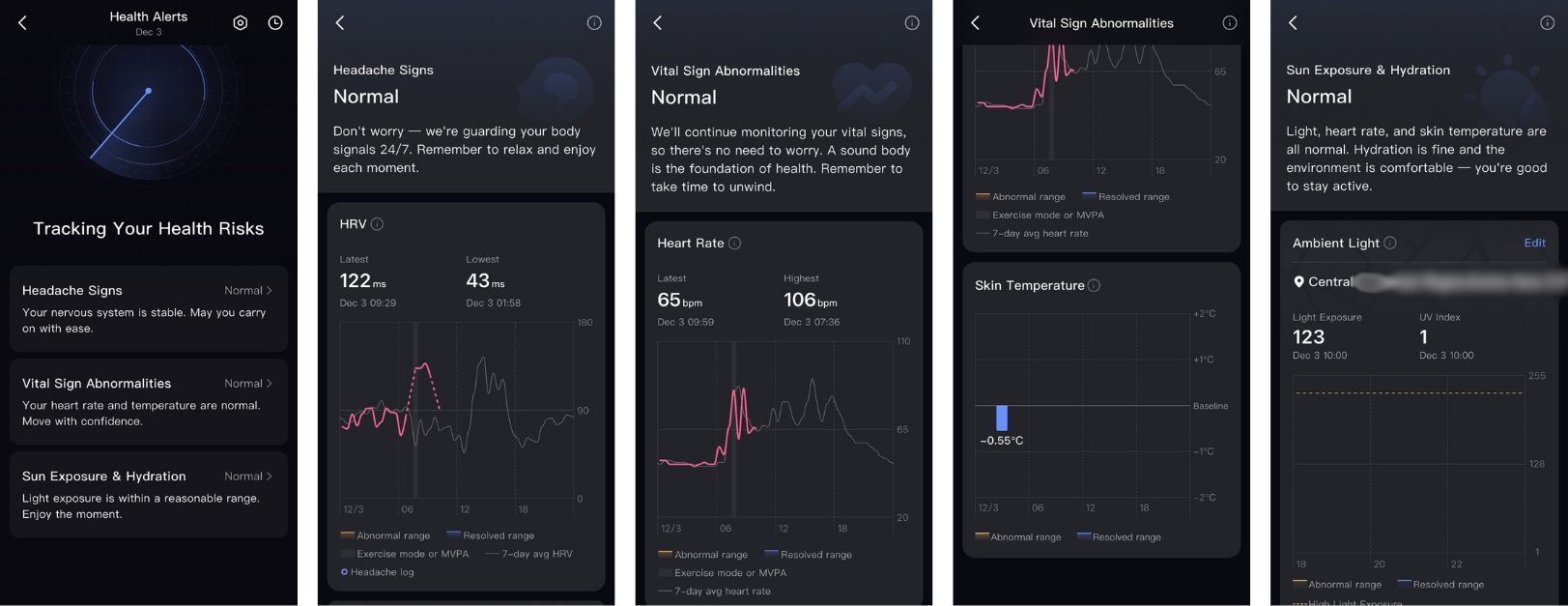
The Health Alerts section (found under the “Me” tab) has been redesigned and expanded. In addition to flagging unusual heart-rate fluctuations, the app now also highlights vital-sign abnormalities, such as deviations in body temperature.
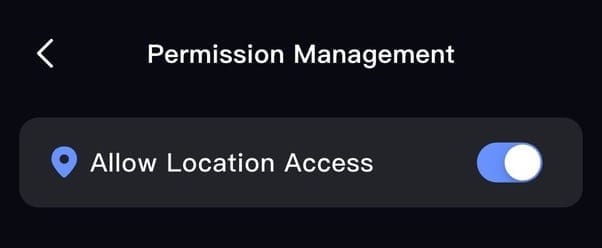
The next two new features require — somewhat surprisingly — granting the app access to your phone’s location data.
Overheating / Dehydration Alerts
The ring monitors your exposure to strong sunlight and looks at the combination of elevated heart rate and skin temperature. If it detects prolonged sun exposure together with signs of heat stress, it prompts you to hydrate or find some shade. It also uses local weather data — hence the need for location access.
Headache-Risk Alerts
Here, RingConn attempts to predict potential headaches based on vital metrics (mainly HRV) and atmospheric pressure (again, this requires location access). As far as I understand it, if the app identifies patterns associated with a headache, you’ll receive a notification that you can then confirm.
So far, I haven’t been “lucky” enough to actually get a headache myself. Maybe I should lend the RingConn to my wife. (Cheap joke, I know!)
Some of the remaining new features are a bit hidden inside certain sub-views of the app.